- Applications
- Tools
Wifi SignalBar


Images


Introduction
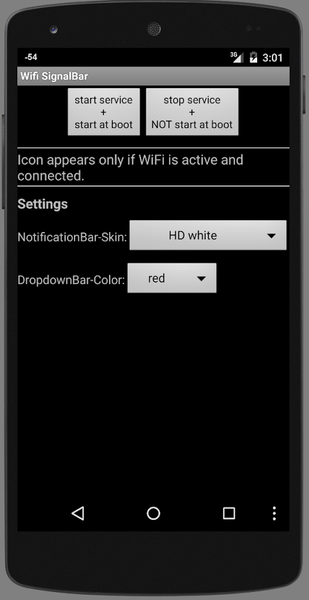
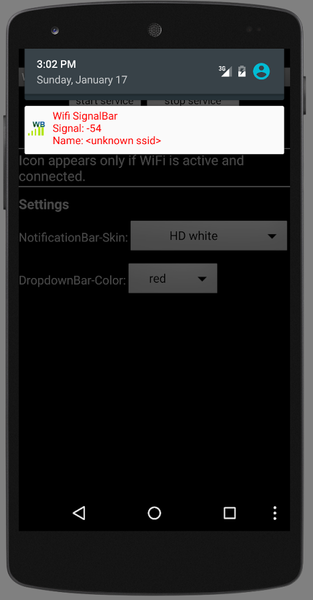
Wifi SignalBar shows the strength of your Wi-Fi connection as a small number right in the status bar. No need to open an app, dig through settings, or pull down the notification shade — the current reading is simply there, next to the clock.
WHAT IT SHOWS
Choose how the value is drawn:
• dBm — the raw signal strength, for example 50 for −50 dBm
• Percent — the same reading mapped to 0–100 %
• Bars — a compact four-bar meter
If you like, the unit (dBm or %) can be shown in small type under the number. It is off by default, because the number itself has to shrink to make room.
Pull down the notification shade and you get the reading in both dBm and percent.
The icon stays visible for as long as you leave the display switched on. When you are not connected, or Wi-Fi is off, it changes to a crossed-out Wi-Fi symbol instead of disappearing — so you can always tell the difference between "no signal" and "the app is not running".
A quick settings tile lets you switch the display on and off without opening the app, and it shows the current reading too. If you like, the display comes back automatically after your device restarts.
PRIVACY
This app asks for one single permission: the one needed to show a notification. That is it.
• No location permission. Reading the signal strength does not require one.
• No internet permission. The app cannot send anything anywhere, by design.
• No ads, no analytics, no accounts, no tracking.
• Nothing is collected, and nothing leaves your device.
The network name (SSID) is deliberately not shown, because displaying it would require location access — a steep price for a detail you already know.
BATTERY
The app does no work of its own. Android reports the signal strength roughly every three to six seconds while the screen is on, and reports nothing at all while it is off — so there is nothing to drain in your pocket. No wake locks are used.
GOOD TO KNOW
• Requires Android 8.0 or newer.
• If many notifications are active at once, Android may hide individual status bar icons, including this one.
• The update rate is decided by Android, not by the app.
• Available in English and German. On Android 13 and newer you can set the language per app in the system settings.
This is a small, single-purpose utility with no hidden extras. It has been around since 2011 and was rebuilt from the ground up in 2026.