- Applications
- Tools
Simple calculator

| Install | <10 |
| From 0 Rates | 0 |
| Category | Tools |
| Size | 9 MB |
| Last Update | 2026 October 13 |

| Install | <10 |
| From 0 Rates | 0 |
| Category | Tools |
| Size | 9 MB |
| Last Update | 2026 October 13 |
Images

Introduction
**Simple Calculator – Everyday Math Made Easy**
Looking for a calculator that's easy to use, reliable, and customizable? Simple Calculator brings together familiar calculator controls, modern designs, and useful features to make everyday calculations effortless.
Whether you're checking prices, calculating expenses, studying, or working with numbers, everything you need is just a tap away.
**🧮 CLASSIC OR MODERN – YOUR CHOICE**
Choose the calculator style that works best for you.
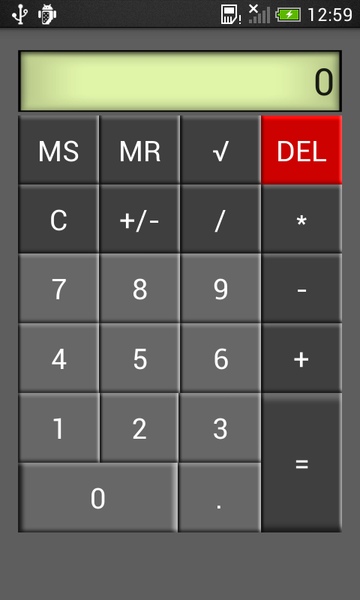
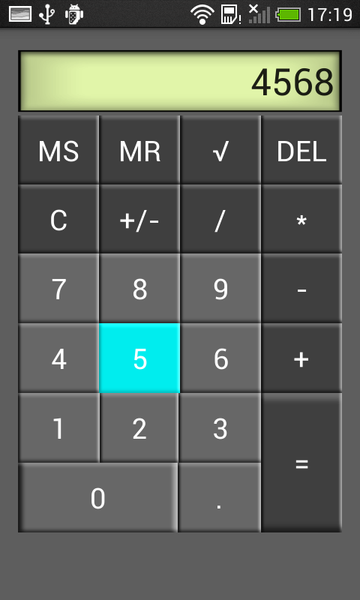
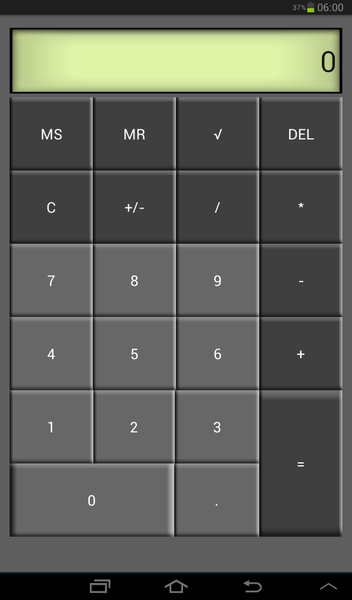
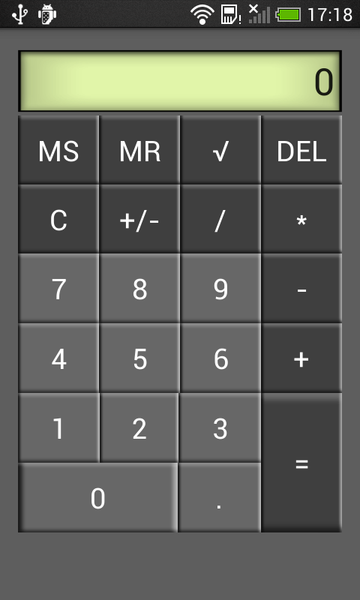
• **Classic Calculator** – Enjoy a familiar pocket calculator layout with a traditional green LCD-style display and easy-to-read buttons.
• **Modern Calculator** – Switch to a refreshed design with rounded buttons, colorful accents, and stylish backgrounds.
Both styles provide familiar controls for quick and convenient calculations.
**🎨 FIVE BEAUTIFUL COLOR THEMES**
Personalize your Modern Calculator with five distinctive themes:
• Graphite Blue – Elegant, balanced blue and gray tones.
• Miami – Vibrant neon cyan and magenta accents.
• Aurora – A refreshing combination of violet and teal.
• AMOLED – A clean, pure-black design.
• Sunset – Warm coral, orange, and golden tones.
Choose your favorite look and make the calculator feel like your own.
**➕ ESSENTIAL CALCULATOR FUNCTIONS**
Everything you need for everyday arithmetic:
• Addition, subtraction, multiplication, and division.
• Decimal number calculations.
• Square root calculations.
• Positive and negative number switching.
• Memory Store (MS) and Memory Recall (MR).
• Clear and delete functions for correcting entries.
• Large, easy-to-read results.
**🕘 CALCULATION HISTORY**
Keep track of your previous calculations without having to write them down.
• Review previous expressions and results.
• See when calculations were saved.
• Delete individual entries or clear your history.
• Access your history whenever you need to check an earlier result.
Your calculation history is saved locally on your device.
**⚙️ PERSONALIZE YOUR EXPERIENCE**
Adjust the app to suit your preferences:
• Switch between Classic and Modern calculator styles.
• Select your favorite Modern color theme.
• Enable or disable key vibration feedback.
• Keep the screen awake while using the calculator.
• Restore your previous calculation when reopening the app.
• Copy results for use in other apps.
**📱 DESIGNED FOR EVERYDAY USE**
Simple Calculator keeps things straightforward. Clear buttons, readable numbers, and an intuitive layout help you focus on your calculations without unnecessary complexity.
**⭐ UPGRADE TO VIP**
Enjoy an even better calculator experience with Simple Calculator VIP.
• Remove advertisements for a cleaner experience.
• Unlock VIP permanently with a single purchase.
• No subscriptions or recurring payments.
• Restore your purchase on compatible devices using the same Google Play account.
All essential calculator functions remain available in the free version.
Ideal for shopping, budgeting, schoolwork, office tasks, household expenses, and quick calculations throughout the day.
**Make everyday math simpler with Simple Calculator – a familiar calculator with a fresh, modern look.**
Related Applications









Users Also Installed