- Applications
- Tools
App Lock – PIN & Fingerprint
Images
Introduction
Full English Description
App Lock – Protect Your Apps with PIN, Pattern, and Fingerprint
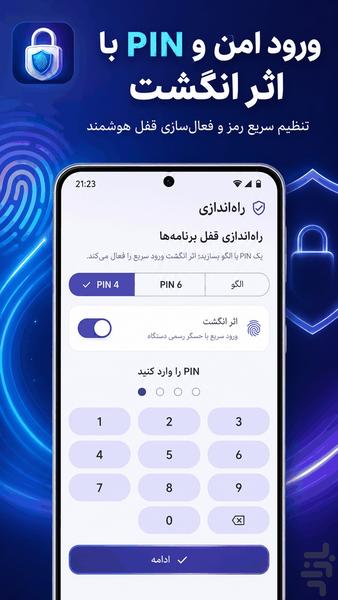
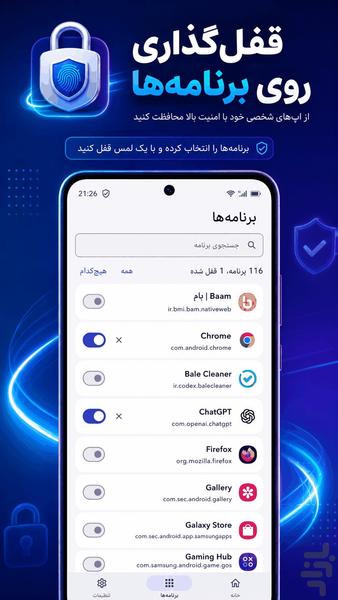
App Lock helps you protect your private and important Android applications from unauthorized access. Select the apps you want to protect and lock them using a 4-digit PIN, 6-digit PIN, pattern, or fingerprint.
App Lock is suitable for protecting messaging apps, photo galleries, browsers, financial apps, social media apps, games, and other personal applications installed on your device.
Main Features
🔒 Lock installed Android applications
🔢 Support for 4-digit and 6-digit PIN codes
🔷 Pattern lock support
👆 Fast fingerprint unlocking
📱 Easily select apps to protect
🛡️ Improve privacy and app security
⚡ Fast and simple operation
🔍 Search installed applications
✅ View the number of locked apps
🎨 Clean, modern, and user-friendly interface
Protect Your Private Applications
You can use App Lock to protect:
- Messaging and social media apps
- Photos and gallery applications
- Internet browsers
- Banking and financial applications
- App stores
- Personal and work apps
- Games and children’s applications
Fingerprint App Lock
On supported devices, fingerprint unlocking can be enabled for faster access. Your PIN or pattern remains available as the main security method.
Privacy and Permissions
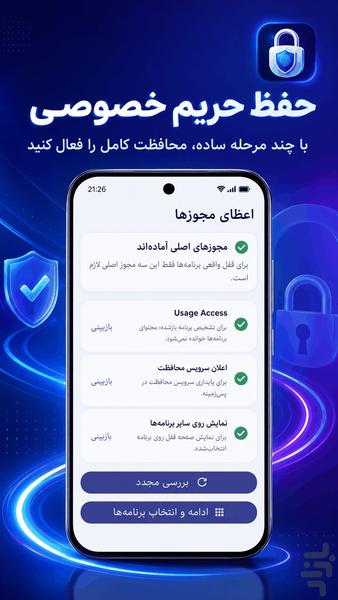
App Lock requires specific Android permissions to detect when a protected application is opened and to display the lock screen. These permissions are used only for the app-locking feature. The application does not read the content inside your protected apps.
Install App Lock – PIN & Fingerprint and protect your private applications from unwanted access.
English Keywords
App Lock, application lock, lock apps, PIN app lock, fingerprint app lock, pattern lock, privacy lock, Android app locker, secure apps, protect apps, gallery lock, social media lock, messenger lock, banking app lock, phone privacy, application security, password lock, private app lock