- Applications
- Tools
HilalNama

| Install | 440 |
| From 21 Rates | 5 |
| Category | Tools |
| Size | 34 MB |
| Last Update | 2026 October 19 |

| Install | 440 |
| From 21 Rates | 5 |
| Category | Tools |
| Size | 34 MB |
| Last Update | 2026 October 19 |
Images
Introduction
🌙 Hilalnama: A Scientific Assistant for Calculating and Observing the Crescent Moon
Hilalnama is a specialized app for the precise astronomical calculation of new crescent moon visibility (istihlal). It is designed for amateur observers and astronomy enthusiasts, as well as for seminary students, researchers, and official crescent-sighting committees who need accurate, citable astronomical data.
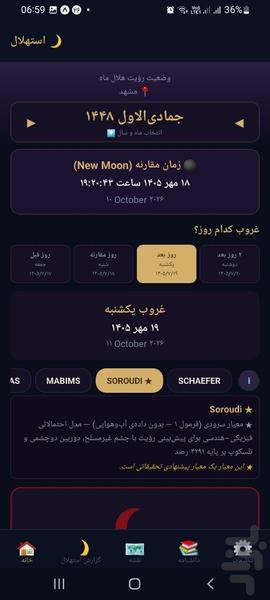
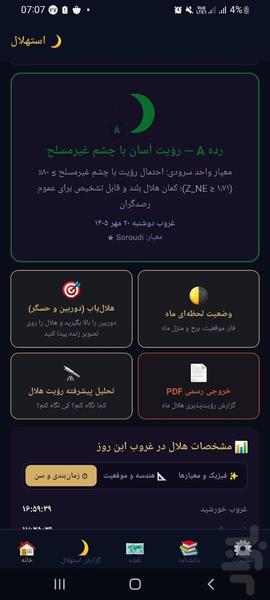
Ordinary lunar calendars show only a fixed date. Hilalnama, however, calculates the actual positions of the Sun and Moon at sunset for your exact geographic location, and tells you whether the crescent is visible at all on that day and at that point on Earth, and if so, whether with the naked eye or only with optical aids.
🔭 Calculation Based on 6 Internationally Recognized Scientific Criteria
The result is calculated and compared simultaneously according to the well-known criteria in the crescent-sighting literature:
Yallop (1997): Royal Greenwich Observatory, based on 295 historical observations
Odeh (2004/2006): based on 737 Arab and Islamic observations
SAAO / Caldwell & Laney (2001): South African Astronomical Observatory
Ilyas (1988/1994)
Neo-MABIMS 2021: the official criterion of Malaysia, Indonesia, Brunei, and Singapore (approved December 8, 2021)
★ Soroudi Criterion: a probabilistic physical-geometric model
For each criterion, the reference scientific explanation and the result category (from easy naked-eye visibility to invisible) are displayed separately. On borderline days when the criteria disagree, the app explains that this disagreement is a well-known scientific fact and not an error.
For each criterion, its reference scientific explanation and the result category (from easy naked-eye visibility to invisible) are displayed separately, and when the criteria disagree on borderline days, the app explains this to the user as a well-known scientific fact (not an error).
🧪 Schaefer Physical Model (Experimental)
In addition to the geometric criteria, the Schaefer physical model has also been implemented: atmospheric light extinction, twilight sky brightness, crescent surface brightness, and the eye’s visibility threshold. The output includes the parameter R and the probability of naked-eye visibility.
Use of live humidity, pressure, aerosol, and temperature data (Open-Meteo)
A separate cloud-cover warning
This model is a scientific reconstruction based on published papers (not Schaefer’s original code) and is offered as experimental.
It is intentionally not shown on the visibility map, because real atmospheric data is not available for every point on the map.
Only the city’s rounded coordinates are sent to the weather service, and this feature can be turned off in the settings.
🌗 Live Moon Status
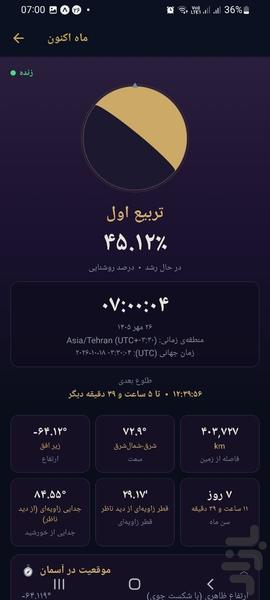
A live Moon dashboard including: the Moon’s disk with the true orientation of the illuminated limb, illumination percentage, altitude and azimuth, moonrise/transit/moonset, the Moon’s age and phase, distance and angular diameter, lunar mansions, the next lunar and solar eclipses, and a 24-hour chart of the Moon’s and Sun’s altitude.
📷 Hilal Finder
Find the crescent with your phone’s camera or compass: a camera view with Moon and Sun markers, an arrow and altitude bar for aiming, touch calibration, and target selection (the Moon right now, the Moon at the best time for sighting, or the Sun’s sunset point).
📊 Accurate and Complete Astronomical Data
For every day and every location, a complete set of parameters relevant to crescent visibility is calculated:
Exact sunset and moonset times (based on the city’s actual time zone)
Altitude and azimuth of the Moon and Sun at sunset
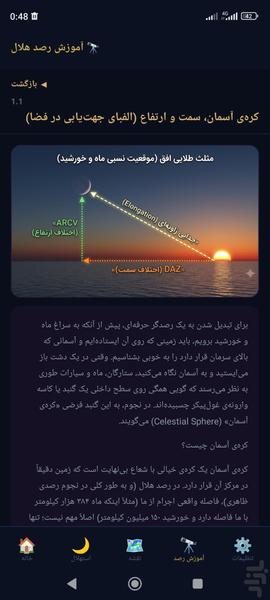
Azimuth difference (DAZ) and arc of vision (ARCV)
Moonset lag time relative to the Sun (Lag Time)
Crescent age since conjunction (Age)
Illumination percentage (Illumination) and crescent width (Crescent Width) in arcminutes
Angular separation of the Sun and Moon (Elongation), both topocentric and geocentric
The Moon’s distance from Earth and the Moon’s ecliptic latitude
Danjon limit check for the naked eye and for telescopes
The exact moment of conjunction (Conjunction / New Moon)
Automatic warning for polar regions during polar night or midnight sun, where calculating crescent visibility is meaningless
You can switch between the four key days of each lunar month (the day before conjunction, the day of conjunction, one day after, and two days after) and view the result for each separately.
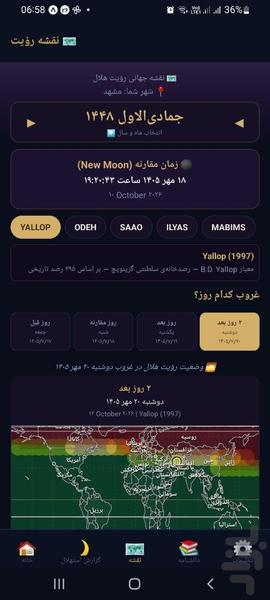
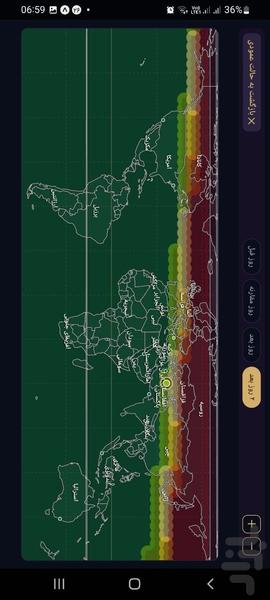
🗺️ Global Crescent Visibility Map
The interactive map, based on real country borders (not approximate continental shapes), shows what the crescent’s status is at every point on Earth according to your chosen criterion. The map’s calculation speed has been increased in this version.
Zoom and pan with finger gestures (Pinch to Zoom)
Display of major cities and populous Muslim countries along with flags
A finer grid in landscape mode
A complete astronomical information card for each city by tapping on the map
Comparison of your city’s status with other cities around the world
A legend of the colors and categories of the selected criterion
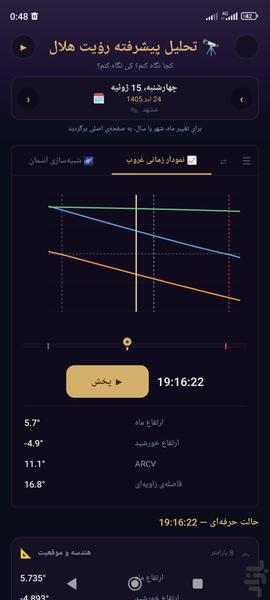
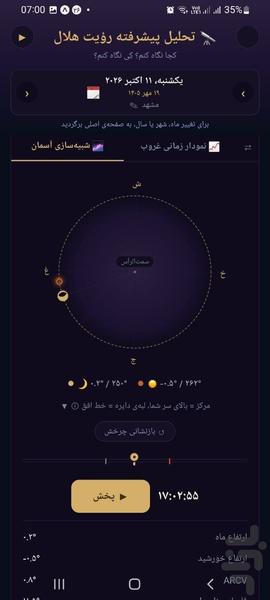
🔬 Advanced Crescent Analysis
Interactive sky simulation with the ability to play and pause the motion of the Sun and Moon
A time chart of key parameters (Moon altitude, Sun altitude, ARCV, angular separation, crescent width) with the ability to toggle each layer on/off
Comparison of two points in time
An automatic text summary of the visibility status, in plain language
Complete astronomical data in grouped, collapsible form
📝 Submitting and Browsing Observation Reports
Hilalnama is not just a calculator; you can also submit your own actual observation reports:
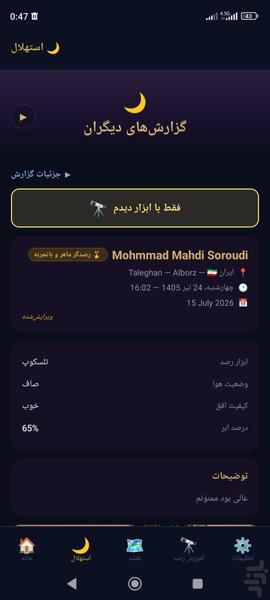
Report information: name, email (optional), country/province/city, coordinates (optional), site altitude, date and time of observation (Solar Hijri and Gregorian), observation result, reason for not attempting, equipment, weather conditions, horizon quality, cloud-cover percentage, and free-form comments
Each user can submit and edit up to 3 reports per lunar month.
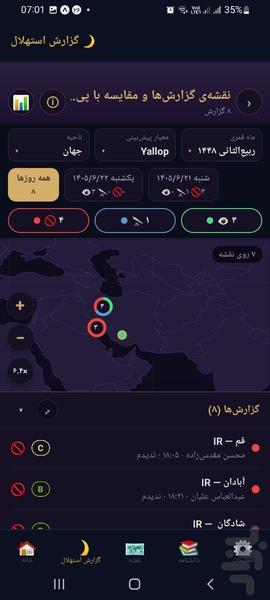
Browse other people’s reports by lunar month and country, with search and filtering by observation result
Display of the calculated astronomical data alongside each report
Reports map and comparison with predictions: observation reports on the map, alongside the criteria’s predictions, with accuracy statistics and mismatches
📄 Report Export for Crescent-Sighting Committees
Create a complete, professional report in PDF, docx, and csv formats, and customize its content:
Selection of any of the 4 key days of the lunar month
Adding the global crescent visibility map (fast or more precise quality) based on one or more criteria
Adding the full table of astronomical data
Adding the criteria comparison table
Adding the explanatory guide to the criteria
📚 Crescent Observation Tutorial
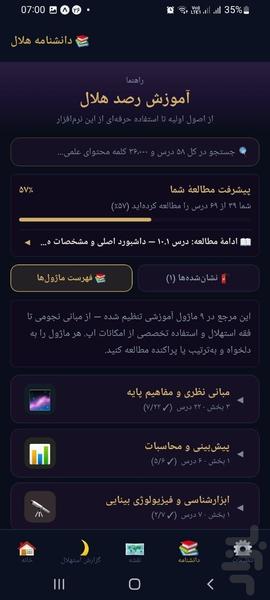
A structured educational course (module ← section ← lesson) on the science and practice of crescent observation, including astronomical fundamentals, an introduction to the visibility criteria, and field-observation tips. This section has been revised in the new version and new lessons have been added to it.
⚙️ Other Features
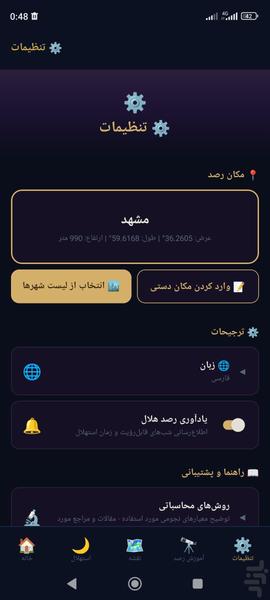
Select the observation location from a list of major cities around the world (with search and country filter) or enter coordinates manually
Three complete languages: Persian, Arabic, and English, with full right-to-left (RTL) support
Text size adjustment from 80% to 160%
Sharing a summary of the result (date, city, the result of each criterion, and the crescent’s technical specifications)
Smart reminders (local notifications) before the probable crescent-sighting dates in upcoming months, with a rewritten notification system
Server connection status warning in the report submission and browsing section
⚠️ Disclaimer
Hilalnama is a computational-scientific tool, and its results are derived from international astronomical models. The Soroudi criterion is a proposed, unofficial criterion, and the Schaefer model is likewise an experimental reconstruction. Actual crescent visibility always depends on weather conditions, the real horizon, and observing conditions, and the results of the calculations are not a substitute for actually sighting the crescent.
📖 To use all of the app’s features, please read the guide (README):
https://drive.google.com/file/d/1hX9fv55KzBFUpmeFmC9ubxRIAwvhi_xg/view