- Applications
- Tools
PDF Reader - All PDF Viewer
| Install | 26 K |
| From 75 Rates | 4.5 |
| Category | Tools |
| Size | 61 MB |
| Last Update | 2026 October 1 |
| Install | 26 K |
| From 75 Rates | 4.5 |
| Category | Tools |
| Size | 61 MB |
| Last Update | 2026 October 1 |
Images


Introduction
PDF Reader - All PDF Viewer is a complete PDF solution that allows you to read, edit, scan, convert, and manage PDF files with ease. Whether you need a fast PDF viewer, a professional PDF editor, or a smart PDF scanner, this all-in-one app is designed to simplify your work and study needs. With features like image to PDF conversion, merge and split PDF, compress PDF, password protection, bookmarks, and offline access, this app is the perfect productivity tool for students, professionals, and everyday users.
Key Features
✅ Fast and smooth PDF Reader & PDF Viewer
✅ Edit PDF: add text, highlight, annotate, and modify files
✅ PDF Scanner: scan documents, ID cards, receipts, notes into PDF
✅ Image to PDF Converter: JPG to PDF, PNG to PDF, JPEG to PDF
✅ Merge, split, rotate, and compress PDF files
✅ Organize documents with built-in PDF File Manager
✅ Search text inside PDF, add bookmarks & manage pages
✅ Secure your files with password-protected PDFs
✅ 100% offline and works without internet or login
✅ Lightweight, free, and optimized for all Android devices
📖 Professional PDF Reader & PDF Viewer
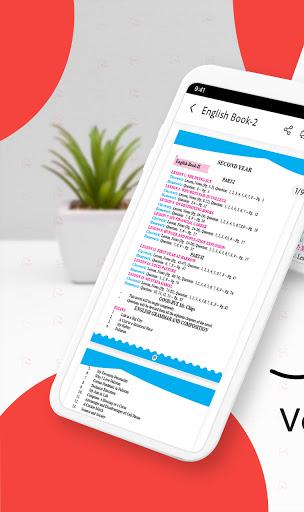
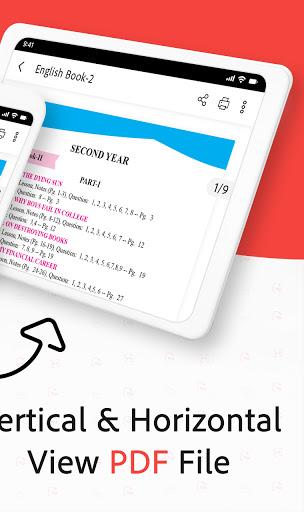
Open and view any PDF file stored on your phone. Enjoy smooth scrolling, zooming, page navigation, and night mode for comfortable reading. Perfect for ebooks, assignments, business reports, invoices, manuals, and contracts.
✏️ PDF Editor & Annotator
Edit PDFs like never before. Add text, highlight important content, insert annotations, or sign documents digitally. Ideal for students reviewing notes, professionals editing reports, or anyone making changes to a PDF file.
📷 PDF Scanner - Scan Documents to PDF
Turn your phone camera into a powerful PDF scanner. Scan receipts, ID cards, books, notes, or certificates and save them as clear, high-quality PDF documents with auto-edge detection.
🖼️ Image to PDF Converter
Convert JPG, JPEG, PNG, and other image formats into PDF instantly. Great for digitizing photos, homework, handwritten notes, ID cards, and business documents.
🗂️ Merge, Split & Organize PDF Files
Combine multiple PDF documents into one, split large files, or rotate and reorder pages. Manage your PDFs easily with the built-in PDF file manager.
📑 Smart Search & Bookmarks
Find content inside PDFs within seconds using the advanced search tool. Save important pages with bookmarks for quick reference later.
🔒 Secure & Private PDF Files
Protect sensitive documents with password encryption. All processing happens locally on your device, ensuring complete privacy and offline security.
⚡ Lightweight & Offline PDF Tool
This free PDF app is designed to be fast, reliable, and battery-friendly. No internet or login required – enjoy smooth PDF reading, editing, scanning, and converting anytime.
📥 Download Now
Take control of your documents with PDF Reader - All PDF Viewer.
Download today and experience the fastest way to read, edit, scan, convert, and manage PDF files in one powerful app.


Related Applications





Users Also Installed




Similar Applications