- Applications
- Entertainment
8bit Painter - Pixel Art

| Install | 5.9 K |
| From 25 Rates | 4.5 |
| Category | Entertainment |
| Size | 13 MB |
| Last Update | 2026 October 22 |

| Install | 5.9 K |
| From 25 Rates | 4.5 |
| Category | Entertainment |
| Size | 13 MB |
| Last Update | 2026 October 22 |
Images


Introduction
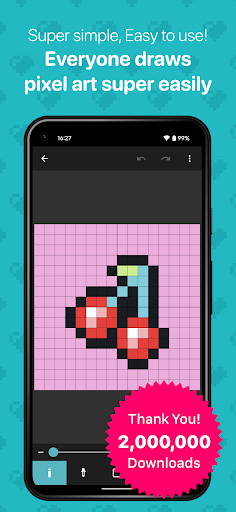
8bit Painter is a simple pixel art editor for Android, designed for beginners who want to start drawing with easy-to-use tools.
Create pixel art for social media icons, bead patterns, cross-stitch patterns, and more. With intuitive controls and essential drawing features, you can focus on your artwork without learning complicated tools.
PIXEL ART FOR YOUR CREATIVE PROJECTS
Use 8bit Painter to:
• Learn pixel art and practice pixel drawing
• Create profile pictures and social media icons
• Draw bead patterns
• Design cross-stitch patterns
FLEXIBLE CANVAS SIZES
Choose a preset canvas size or set a custom width and height. You can also resize the canvas while working on your artwork.
Preset sizes:
16 × 16, 24 × 24, 32 × 32, 48 × 48, 64 × 64, 96 × 96, 128 × 128, 160 × 160, and 192 × 192 pixels.
CONVERT IMAGES TO PIXEL ART
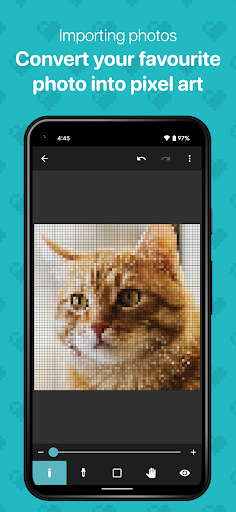
Import an image and convert it into pixel art. Turn your favorite photos and pictures into a starting point for your next creation.
CUSTOM AND PRESET COLOR PALETTES
Create custom colors and save up to 120 colors in your User Color Palette. You can also choose from 96 colors in the Preset Color Palette.
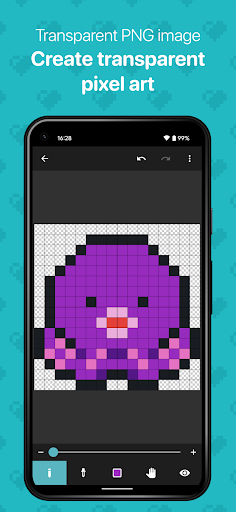
EXPORT PNG IMAGES WITH TRANSPARENCY
Export your pixel art as a PNG image, with support for transparent backgrounds. Choose from three output sizes to suit your project.
You can also include canvas grid lines in the exported image, making it useful as a reference for bead and cross-stitch projects.
BACK UP AND TRANSFER YOUR ARTWORK
Export artwork data to external storage, such as Google Drive, Dropbox, or an SD card.
Import the exported data into 8bit Painter on another smartphone or tablet to continue editing your artwork.
Keep a backup of your artwork data so you can transfer it when replacing your device or recover it if your device is lost or damaged.
REMOVE ADS
Purchase Ad Remover to remove ads from the app. If you reinstall 8bit Painter, you can restore your purchase without buying Ad Remover again.


Related Applications








Users Also Installed










Similar Applications