- Applications
- Tools
WiFi Mouse HD free
Images

Introduction
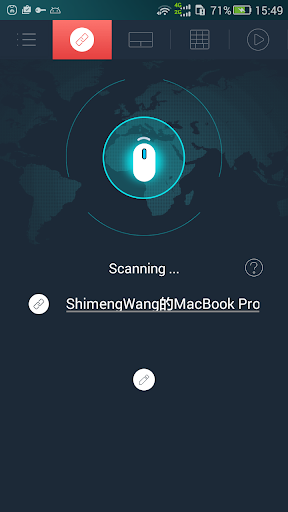
Transform your phone into a wireless mouse, keyboard and trackpad using WiFi Mouse. it enables you to control your PC, MAC or HTPC effortlessly through a local network connection.
You can relax on the sofa and control playing movie in the comfort of your own home.
What can WiFi Mouse do for you?
➢ Wireless mouse
Support mouse left/right click and scroll
➢ Wireless keyboard
Support Android system keyboard and simulate computer keyboard
➢ Wireless trackpad
Support tap for click, two fingers tap for right click, three fingers move for drag and drop,
and more gestures.
➢ Handwriting gestures
Control your windows, media player and presentation with cool gestures.
➢ Computer controllers
Control media player, internet explorer, Presentation, windows, even shutdown your computer.
WiFi Mouse features:
● Mouse movement and click
● Make scrolling
● Android keyboard or simulate full screen computer keyboard
● Voice to text to computer
● Many gestures
Tap,double tap,two fingers slide, three fingers drag and drop, four fingers slide
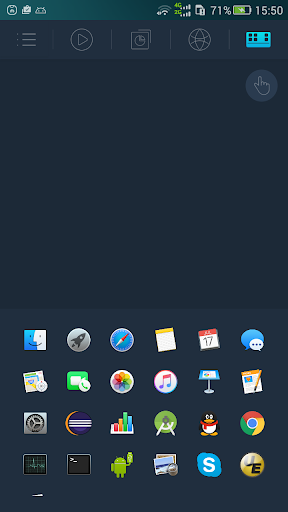
● Computer applications list and start
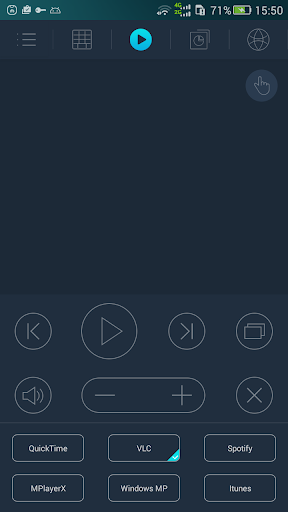
● Media controller
Control many media player applications.
● Presentation controller
Control PPT, Keynote
● Shutdown
Shutdown, restart, and logout your computer
● Compatible with Windows/Mac OSX/Linux (Ubuntu).
Notes:
● Please download mouse server and install it from our official website http://wifimouse.necta.us
● Help us to translate APP to your language: http://wifimouse.oneskyapp.com
Facebook
http://fb.com/wifimouse