- Applications
- Tools
Game master - Auto Clicker

| Install | 26 K |
| From 40 Rates | 4.1 |
| Category | Tools |
| Size | 3 MB |
| Last Update | 2026 November 2 |

| Install | 26 K |
| From 40 Rates | 4.1 |
| Category | Tools |
| Size | 3 MB |
| Last Update | 2026 November 2 |
Images



Introduction
Best Auto Clicker for tapping
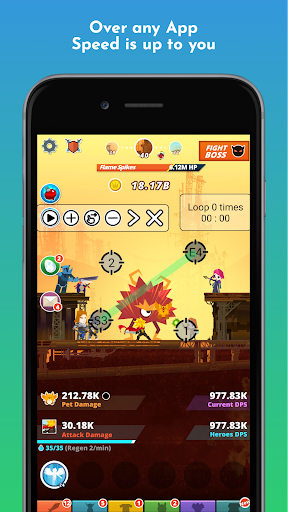
No root required – works with any app
Set taps or swipes at any position, at any time.
⚫ Record gestures
- Easily record your own gestures
- Press the [Record] button to start recording
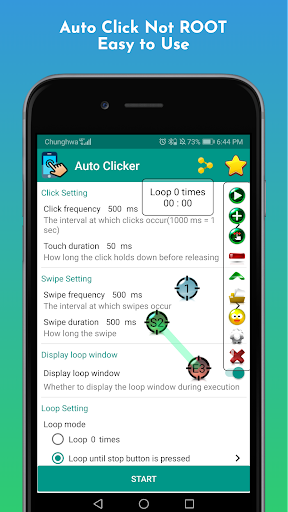
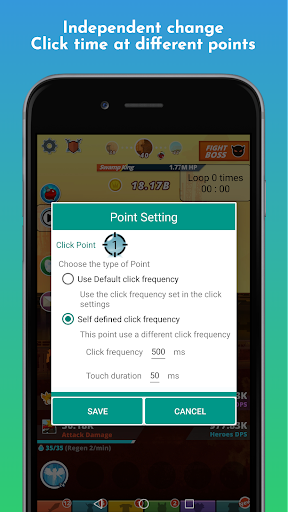
⚫ Tap and swipe frequency
- Set the tap interval to match your needs
- Freely set long-press and short-press duration
- Show or hide touch points at any time
- Change the tap frequency at any time
- Switch the frequency quickly with one tap
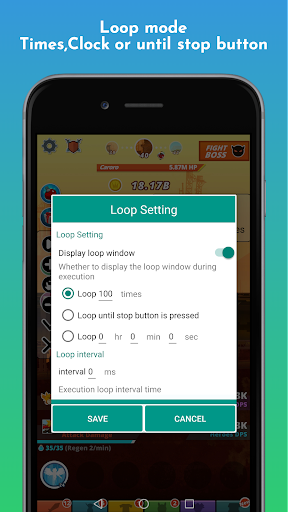
⚫ Loop modes
- Repeat a set number of times
- Repeat until the stop button is pressed
- Repeat for a set amount of time
⚫ Save and load settings
- Quickly reload your saved coordinates
⚫ Anti-detection
- Avoids tapping the exact same coordinates by adding small random offsets, so games don't detect it
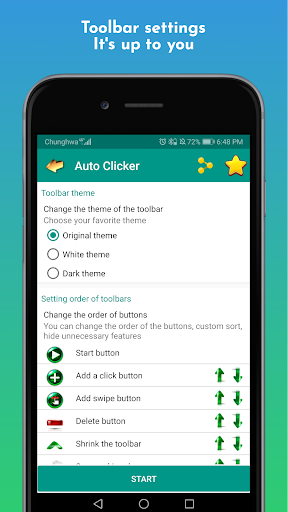
⚫ Toolbar settings
- Choose your favorite toolbar theme
- Reorder buttons freely or hide features you don't need
- Vertical or horizontal toolbar
Accessibility service
Auto Clicker uses the Accessibility API (AccessibilityService).
1. Why is this service needed?
To perform taps, swipes and other core functions on the screen for you.
2. Do we collect personal data?
No. We do not collect any personal data through this service.
Give it a try – you'll love it!
If you have any problems, please email: developerkarta@gmail.com
If you'd like to help with translations, please let me know.


Related Applications








Users Also Installed










Similar Applications