- Applications
- Books & Reference
MirrorLink
Images

Introduction
🚗 MirrorLink Car app – Connect Your Phone to Your Car Screen & TV
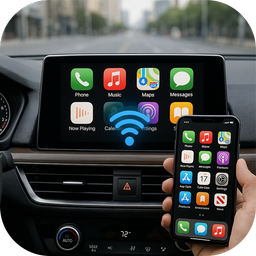
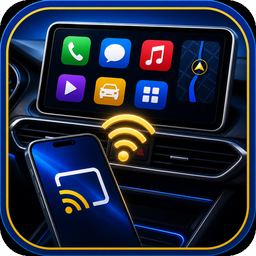
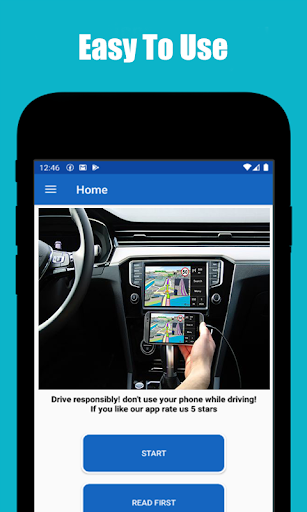
Looking for a mirror link between your phone and the big screen? Mirror Link Car app is the easiest mirrorlink app for car and TV: connect your Android phone wirelessly, start screen mirroring in seconds and enjoy videos, photos, music and navigation on a bigger display. One auto mirror app for your car, your smart TV and every wireless display — a modern car play experience for Android. 📱✨
📲 Mirror Your Phone Anywhere
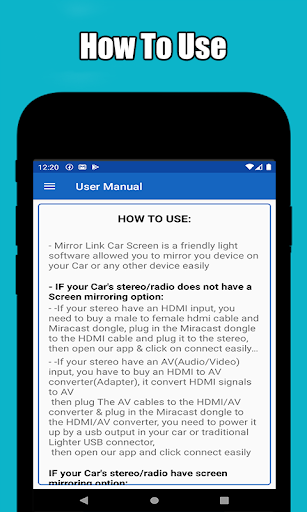
This car mirroring app opens the fastest screen mirroring path on your device. Follow the guided steps, pick your screen and mirror your phone — TV, car display or Miracast receiver. With mirrorlink cast technology, the connection is fully wireless: no cables, no dongles, just Wi-Fi.
🚘 Connect to Car Screen
The car mirror link app for android built for drivers. Pick your make from 45+ car brands and get tailored setup guidance for your dashboard. Built-in car screens connect through Android Auto — and this mirrorlink app for car opens it in one tap, or brings you straight to the official download. Car link android connectivity with zero guesswork.
🔗 CarPlay Style, Made for Android
Dreaming of a carplay screen experience? This car play app for android brings the same big-screen comfort: media and navigation mirrored to a compatible display, plus one-tap Android Auto for built-in dashboards. The carplay app for android alternative — fully wireless.
📺 Cast to Smart TVs
Works with all major TV brands — Samsung, LG, Sony, TCL, Hisense, Philips and more — through Chromecast, Android TV, Google TV and Miracast. The auto mirror app detects nearby receivers so you can cast to the living room as easily as to your car.
🎬 Stream Videos, Photos & Music in HD
The car player android side of the app is a full media caster: stream local videos in HD, browse photos on the big screen, and play music and audiobooks through TV speakers — with play, pause, skip and background casting.
🗺️ Your Favorite Apps, Bigger
Use screen mirroring to bring apps like Google Maps, Waze, Spotify or YouTube to a compatible display — larger, clearer, easier to follow.
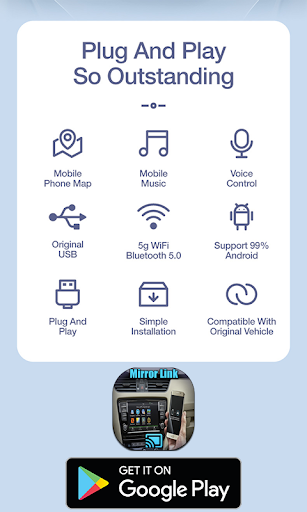
⚡ Fast Wireless Connection
Stable and reliable mirror link connectivity with high speed and low latency — smooth HD screen cast over Wi-Fi.
⚙️ Simple Setup — 3 Steps
Open the app and connect phone + display to the same Wi-Fi
Tap Start Casting and choose your screen
That's it — enjoy mirroring!
🌍 Universal Compatibility
✔ Android phones & tablets (Android 7.0+)
✔ Smart TVs with built-in cast
✔ Chromecast, Android TV, Google TV
✔ Miracast displays & adapters
✔ Car screens via the official Android Auto app
🚀 Why Choose Mirror Link Car app?
✔ Car play style connection for Android drivers
✔ Reliable mirror link cast with low latency
✔ Smooth car mirroring app experience
✔ Convenient car player android media features
✔ One-tap Android Auto access
✔ Flexible car mirror link app for android support
📥 Get Started Today
MirrorLink Car app now — your mirrorlink app for car, auto mirror app, screen mirroring tool and car play companion in one. Connect your phone, cast your content and keep every drive connected. 🚘📲
MirrorLink®, Android Auto™, Apple CarPlay®, Chromecast™, Miracast®, Google Maps™, Waze™, Spotify® and YouTube™ belong to their respective owners; this app is an independent casting and setup helper, not affiliated with or endorsed by these companies.


Related Applications







Users Also Installed