- Applications
- Tools
Data Usage Monitor

| Install | 47 K |
| From 1,103 Rates | 4.6 |
| Category | Tools |
| Size | 11 MB |
| Last Update | 2026 October 22 |

| Install | 47 K |
| From 1,103 Rates | 4.6 |
| Category | Tools |
| Size | 11 MB |
| Last Update | 2026 October 22 |
Images

Introduction
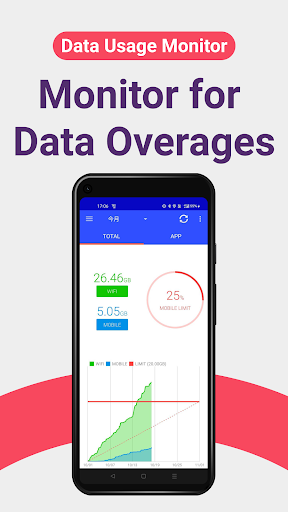
Stop hitting data caps. This app auto-measures mobile and Wi‑Fi traffic, graphs your daily/weekly/monthly usage, and warns you before throttling kicks in. Keep speeds steady and bills predictable.
MAIN FEATURES
* Automatic tracking: uses Android background API; keeps measuring after device reboot; minimal battery impact.
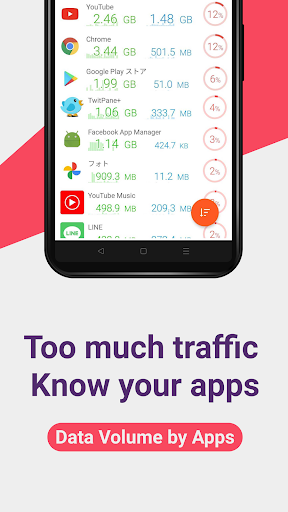
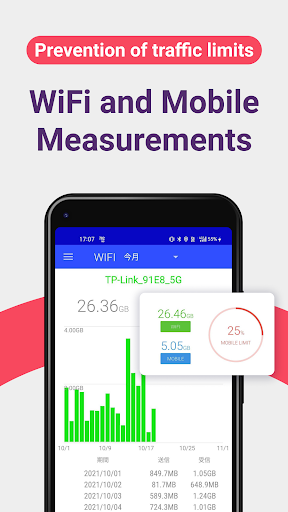
* Precise breakdown: separate mobile / Wi‑Fi totals; per-SSID stats; app-by-app usage so you can spot data hogs.
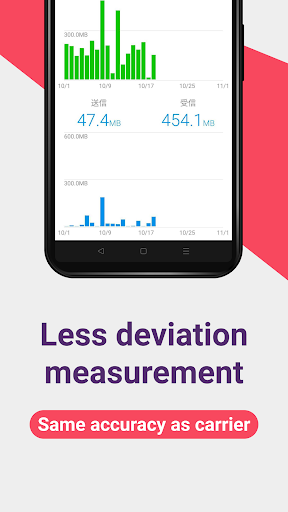
* Clear analytics: trend graphs by day/week/month with color cues for approaching limits.
* Smart alerts: push notifications when nearing the cap; customizable thresholds.
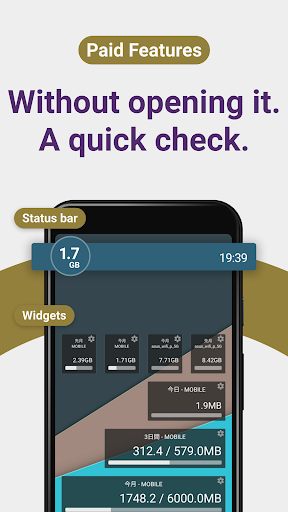
* Widgets & status bar: live remaining data on home screen and in the notification bar.
PREMIUM
* Ad-free experience.
* Always-on status bar meter and enhanced widgets.
SUPPORTED CARRIERS
Works with major carriers and MVNOs: Verizon, AT&T, T-Mobile, Docomo, au, SoftBank, Rakuten, UQ, Y!mobile, IIJmio, OCN, BIGLOBE, mineo, and more.
PERMISSIONS
* Usage Access: required for per-app data stats.
* Wi‑Fi info & Location: needed by Android to read SSID for Wi‑Fi usage.
* Network access: ads and anonymized improvement data.
* Run at startup: resume background tracking after reboot.
* Google Play Billing: premium purchase.
FAQ
* How do I set the alert limit?
Settings > Data Alerts to set cap and warning levels.
* Widget not updating?
Disable battery saver for the app and allow background activity.
SUPPORT
Enjoying it? Please rate ★★★★★. Questions or feedback: reach us via the in-app contact form for a quick reply.