- Applications
- Tools
Dekorator - AI Home Design

Images





Introduction
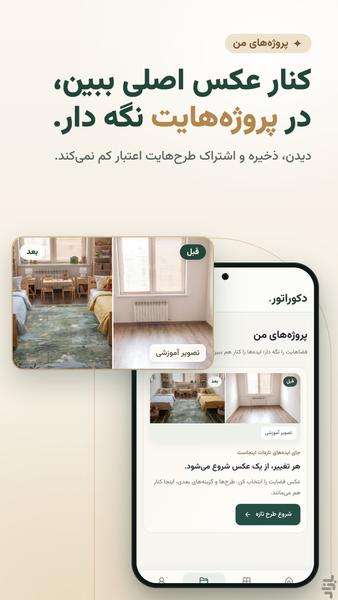
Dekorator: home decor and interior design with AI, on a photo of your own home.
Before you renovate or buy paint, wallpaper, a sofa, curtains or cabinets, see the new design next to your current photo.
Verify your Iranian mobile number and you get one free design, with the Dekorator watermark. It is once per number and per phone; after that, each design costs 1 credit.
If a design fails to generate, your free design or credit is returned.
Free designs have a daily capacity; if it is full, the app tells you when it reopens before you choose a photo.
🧭 How it works
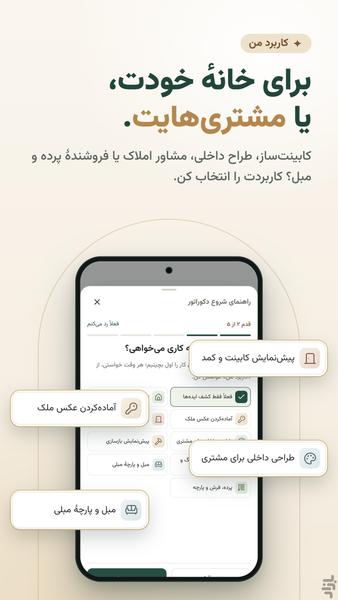
1. Choose your use and a tool.
2. Take a photo of the whole space or pick one from your gallery; if the app asks for your number, verify it with the SMS code.
3. Choose a style, or draw the area with the pen and set the material and colour; then tap the create button.
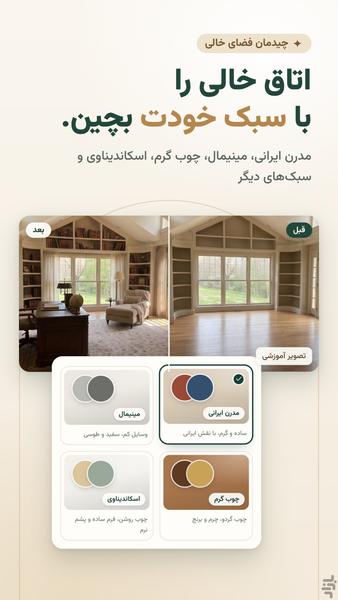
4. Drag the before/after line with your finger to compare the design with the original photo.
5. Save the design, or a side-by-side before/after image, to your gallery and send it to family, a client or your contractor.
🛠️ Tools
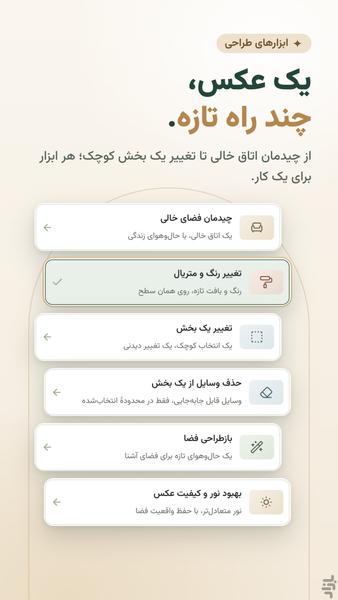
• Redesign space: the whole room is redesigned in one of 8 styles; it can also keep your current furniture.
• Stage an empty room: an empty room is furnished in the style you choose.
• Change colour and material: on a surface you mark with the pen, such as a wall, floor or cabinet. You can also type a colour name or code, but check the final colour against a real sample.
• Change one part: a sofa, curtain, cabinet door or any other part you select.
• Remove items from one area: removes movable items from the area you draw; it is not for hiding defects in the space.
• Improve light and photo quality: more balanced light, keeping the space as it is; it does not fix blur.
• Empty the room (experimental): to see the space without furniture, rugs and curtains.
• Upscale photo (experimental): a typical phone photo comes back about 1.15× larger; a photo already at its maximum resolution is not delivered, and its credit is returned.
🎨 Interior design styles: Modern Iranian, Minimalist, Warm Wood, Scandinavian, Classic, Neoclassic, Luxury and Traditional Iranian.
🏠 For your home, or for your work and clients
• Home: before repainting a wall or buying a sofa or rug, see a new decor idea on a photo of your living room or bedroom. Renting? In Redesign space, turn on the option for changes without renovation.
• Property photos: stage an empty unit or remove extra items; in your listing, label the design as virtual staging.
• Cabinets and wardrobes: see high-gloss, membrane or MDF fronts and quartz or granite worktops on a photo of your client's kitchen.
• Interior design: compare several options side by side in the app and send each one to your client.
• Renovation: see new wallpaper, backsplash, ceiling, skirting, or door frames and doors before the work starts.
• Floors and walls: try tiles, ceramic, porcelain, parquet, laminate, stone and paint in your client's space before ordering.
• Sofas and upholstery: change a sofa's cover to velvet, bouclé or leather and see it on the same photo.
• Curtains and rugs: see sheers, blackouts, zebra blinds, hand-woven rugs or kilims in your client's room.
Only send photos of homes or client spaces that you have the right to use.
🤔 Why Dekorator?
• The design is made on a photo of your own space, not on a photo of someone else's home.
• No prompt to write: just choose the change and the style.
• In most tools you can add up to two photos of the look you want and a short note; the result will not necessarily match that exact product or colour.
💳 Credits and payment
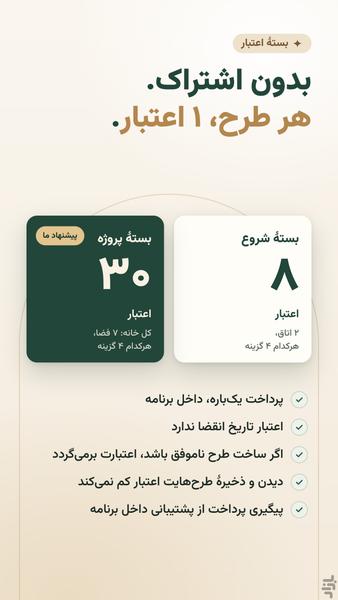
For more designs, buy a credit pack in the app: a one-time payment, no subscription.
Credits never expire; spend them whenever you like.
Packs: the Starter pack with 8 credits, the Project pack with 30 credits and the Pro pack with 100 credits.
• Each new design and each edit of a design: 1 credit
• Up to 4 options from one photo, to compare side by side: 1 credit per option
• Up to 10 photos in one request, in tools that change the whole photo: 1 credit per photo
• Advanced mode in five tools, where you describe the change in your own words: 1 credit per design
The design you get by verifying your number is one option from one photo, and it can't be made in Advanced mode.
Browsing the tools, saving designs and sending them cost no credits; nothing is spent until you tap the create button.
See the result before you change anything.
Install Dekorator, take a photo of your room and see its new decor with AI.

Related Applications









Users Also Installed