- Applications
- Tools
Easy Installer: APK & Backup

| Install | 11 K |
| From 789 Rates | 4.4 |
| Category | Tools |
| Size | 8 MB |
| Last Update | 2026 October 30 |

| Install | 11 K |
| From 789 Rates | 4.4 |
| Category | Tools |
| Size | 8 MB |
| Last Update | 2026 October 30 |
Images


Introduction
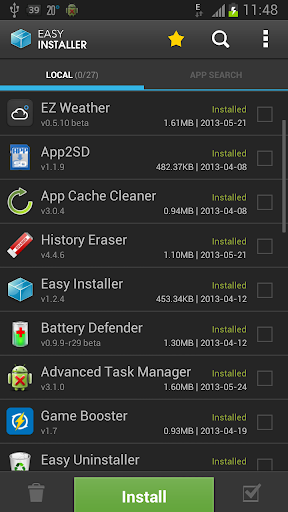
Easy Installer is an app backup, restore, and APK file management tool. Find and manage APK files on your phone's storage, back up installed apps as APK files, restore them later, and install standard or split APK packages.
Find & Manage APK Files
With your permission (All files access), Easy Installer locates APK, APKS, XAPK, and APKM files anywhere on your phone's storage, including Downloads and chat app folders:
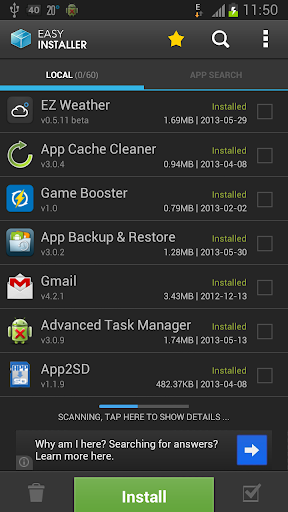
• Each file shows the app icon, name, version, and status (whether the app is installed, an update is available, the file is an older version, or the app is not installed).
• Install, share, or delete any file directly from the list (deleting always asks for confirmation).
App Backup & Restore
Browse your installed apps and save copies to a folder you choose. Standard apps are saved as .apk files, while multi-file split apps are saved as .apks bundles so you can restore them whenever needed (folder access is limited to that chosen directory).
Install APK & Split APK Packages
The standard Android installer cannot handle split app bundles on its own. Easy Installer lets you restore backups and install files you open in multiple formats:
• Standard APK files
• Split APK bundles including APKS, XAPK, and APKM
• Multi-file queue: pick several installer files at once and install them one after another, with the option to skip any file.
Verify Before Installing
Check important package details before you install:
• See right away whether a file is a new install, an update, or an older version (older versions cannot be installed over newer ones).
• Get a warning if the file is signed by a different developer than the installed app.
• Check Android version compatibility and view the signing certificate fingerprint.
• Review the permissions requested by the app.
Simple File Management
• Use "Open with Easy Installer" to open APK files directly from your browser, file manager, or chat apps.
• After installing, open the app right away or delete the installer file to free up space.
• Share or delete your backup files at any time.
• Material Design interface with light and dark themes.
Private & Transparent
• Backups and files stay on your phone; files found on your storage are only read locally to show their names and app details, and nothing is uploaded.
• Storage scanning only starts after you allow All files access, and backups go to the folder you choose.
• No account needed, and Android always asks you to confirm each installation.

Related Applications