- Applications
- Tools
Lag remover Lower Gaming Ping
| Install | 10 K |
| From 13 Rates | 3 |
| Category | Tools |
| Size | 36 MB |
| Last Update | 2026 August 29 |
| Install | 10 K |
| From 13 Rates | 3 |
| Category | Tools |
| Size | 36 MB |
| Last Update | 2026 August 29 |
Images

Introduction
Enhance your mobile gaming experience with Lower Gaming Ping – a set of network tools designed to help you check your connection, ping, FPS, and DNS settings while gaming. Whether you use WiFi, 3G, 4G, or another network, you can view useful connection information and explore available network options.
Lower Gaming Ping – Lag Remover provides practical tools for mobile gaming and online games. Use Laggy Game Fixer and Fast Ping VPN features to check your network conditions, test ping, view FPS information, explore DNS options, and better understand your connection and device performance.
🕹️ Key Features of Ping Booster for Android 🕹️
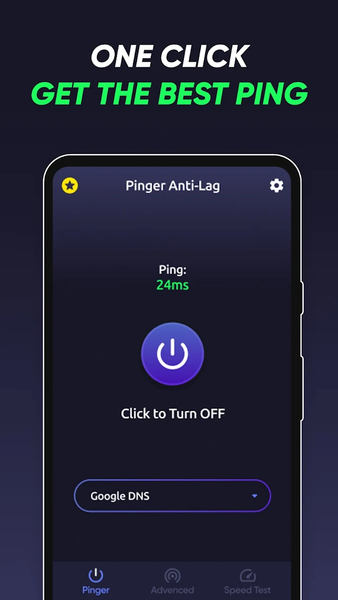
🎮 Ping Test – check your current ping and view network response information.
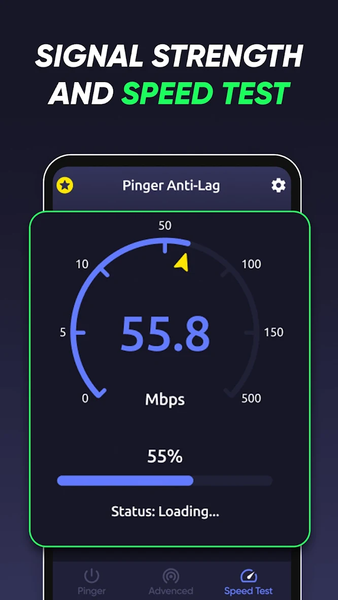
🎮 FPS Test – check and view FPS information directly on your device.
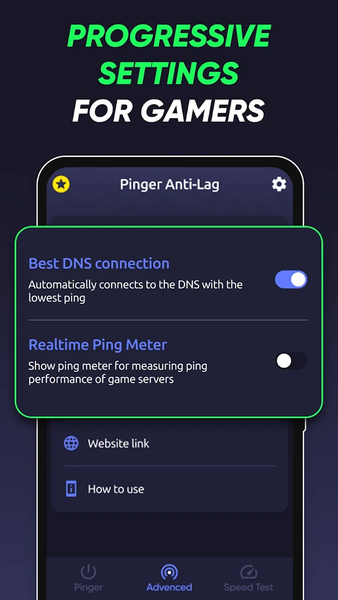
🎮 Check available DNS servers based on your connection and network conditions.
🎮 Manually choose a DNS server from the available options.
🎮 View useful network information to help identify possible connection and ping issues.
🎮 Support for a wide range of DNS servers.
🎮 Works with different types of network connections for convenient connection testing.
📱 PING, FPS AND NETWORK CHECK
Ping Improver for Android gives you useful tools for checking ping, FPS, and network conditions when playing mobile online games. The lag fixer provides quick access to connection information and network tools in one place. Open the Laggy Game Fixer to run a ping test, check FPS information, explore available settings, and use the anti lag tools whenever you need them.
Lower Gaming Ping can also help you compare network conditions and understand whether your current connection may be affecting your gaming experience. The Lag Remover tools provide network information and available options without guaranteeing changes that depend on your internet provider, game server, device, or network conditions.
📱 NETWORK TOOLS FOR GAMES AND APPLICATIONS
Use ping remover and network tools to check connection conditions across mobile games and applications. Run a ping test, view FPS information, explore DNS options, and check your network before starting an online game.
For mobile gamers experiencing laggy gameplay, the anti-lag section brings useful connection and device tools together in one convenient place. You can also explore device and graphics settings to better understand your phone's current configuration and gaming conditions.
Так описание уже намного лучше соответствует тому, что Google хочет увидеть: приложение проверяет/показывает/анализирует, а не обещает магически increase FPS, permanently reduce ping или eliminate lag.


Related Applications









Users Also Installed