- Applications
- Tools
Blue Light Filter & Dimmer
| Install | <100 |
| From 1 Rates | 2 |
| Category | Tools |
| Size | 5 MB |
| Last Update | 2026 October 7 |

| Install | <100 |
| From 1 Rates | 2 |
| Category | Tools |
| Size | 5 MB |
| Last Update | 2026 October 7 |
Images


Introduction
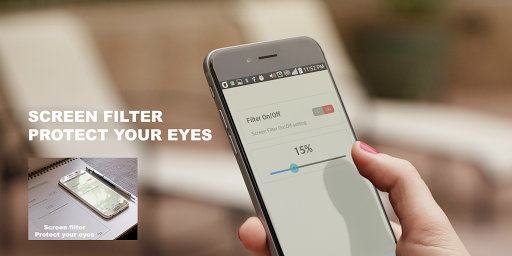
Screen Filter reduces blue light and makes your screen even darker to ease eye strain.
It overlays a soft color filter on top of your screen, letting you dim below the system's minimum brightness: perfect for dark rooms or right before bed when the screen feels too bright. An overly bright screen at night can get in the way of winding down: switch to night mode for a glare-free evening.
■ Key features
• Blue light filter: cut the blue tint to reduce eye strain and glare
• Extra dim (ultra dim): go darker than the system's minimum brightness, ideal for night use
• Sunset-to-sunrise mode: turns on at sunset and off at sunrise automatically (no location permission needed)
• Bedtime schedule: or set your own custom on/off times
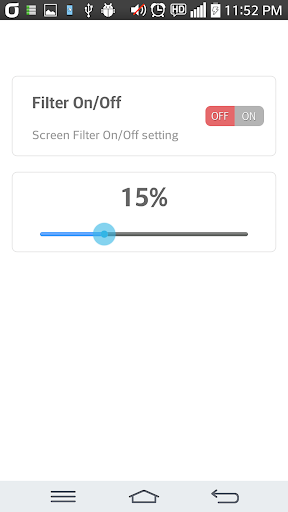
• Fine-grained control: adjust filter strength and dim level with separate sliders
• Filter colors: Amber, Orange, Sunset, Candle, Sepia, Classic
• Light & dark mode: dark by default, switch to light anytime in settings
• Home screen widget: toggle with one tap (Material You colors)
• Quick Settings tile & notification button: control it instantly without opening the app
• Works over other apps: the filter stays on while you use any app
• Lightweight: a simple, fast design that's easy on the battery
■ Great for
• Anyone who uses their phone at night
• People whose screen is too bright even at minimum brightness
• Those who want to reduce eye fatigue from blue light
■ Permissions
• "Display over other apps" is required to overlay the filter across the whole screen.
• While the filter is on, button input may be blocked on some system screens such as app installs, permission grants, and payments: please turn the filter off for those screens.
Note: This app is not a medical device and does not diagnose, treat, cure, or prevent any medical condition.
Give your eyes a more comfortable screen with Screen Filter.