- Applications
- Tools
3D Floor Plan: Naqshekesh
Images
Introduction
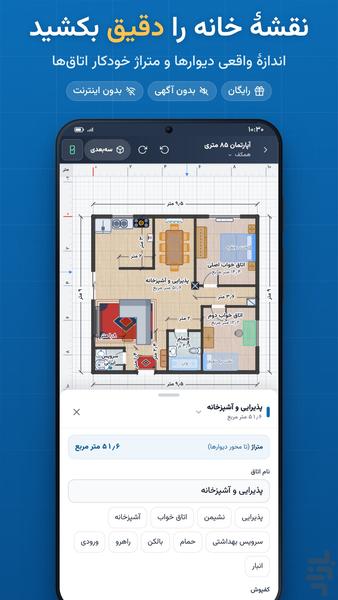
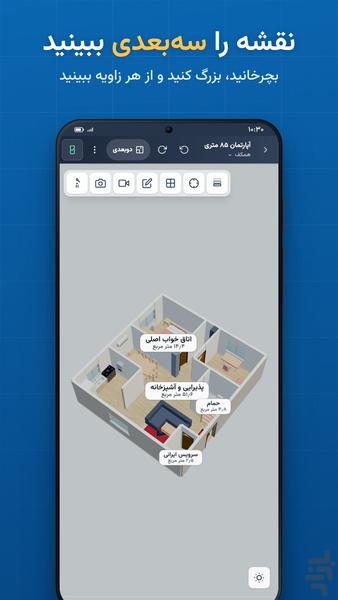
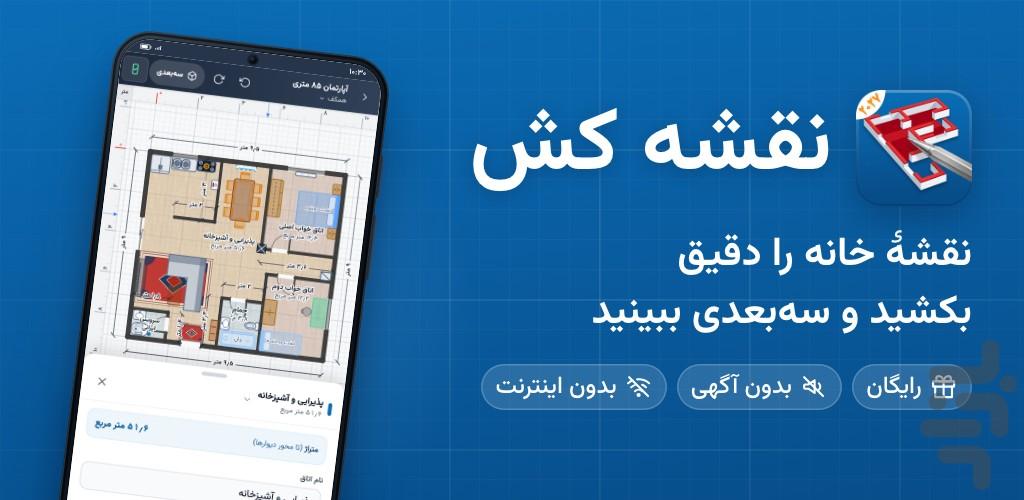
Naqshekesh is a free floor plan app for drawing house plans on your phone. Draw an apartment, house or villa to exact measurements, get every room's area automatically and see the same plan in 3D.
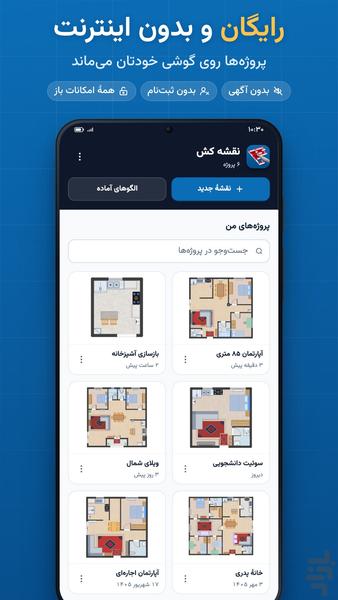
✅ Every feature free and unlocked: no ads, no sign-up, no subscriptions or in-app purchases
✅ Works fully offline; scaled PDF for printing and AutoCAD DXF export are free too
ℹ️ The app's interface is in Persian (Farsi); units are metric (meters and centimeters).
🏠 What is it for?
Planning to build or renovate? Moving and wondering where the sofa and fridge will fit? Studying architecture and practicing plans? Naqshekesh is a simple home design and floor plan maker: no paper, no computer. Draw a 2D plan, arrange the furniture and see the result in 3D, all on your phone.
📐 A floor plan in three steps
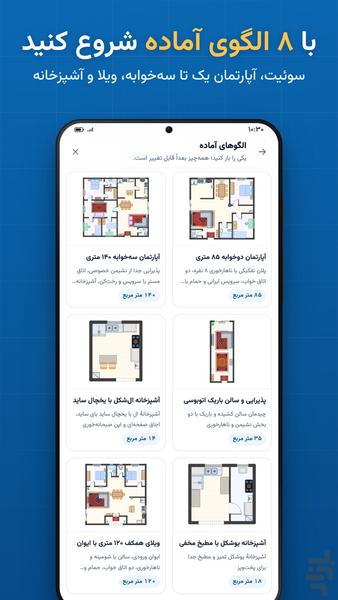
1. Open one of 8 ready-made plans, or start from a blank plan.
2. Tap the corners of a room with the Wall tool and type each wall's exact length; then add doors, windows and furniture.
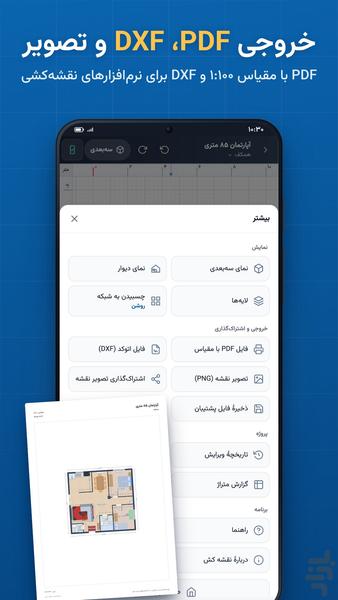
3. Tap 3D, and export a PDF, an AutoCAD file or an image from the More menu.
✏️ Precise drawing
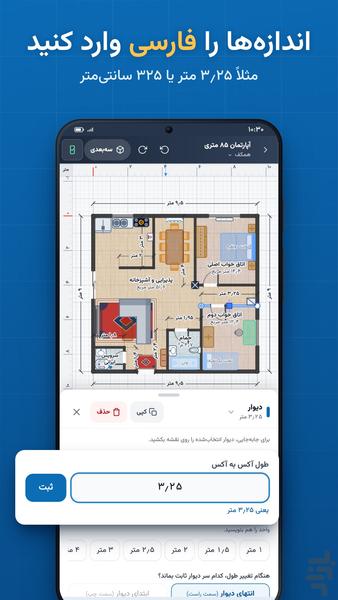
• Type wall lengths in Persian or English digits: 3.25 m is the same as 325 cm.
• Measure walls centerline to centerline, or as the clear span (wall to wall).
• Set any wall thickness and height, including walls taller than 2.70 m and walls with a different height at each end.
• Doors and windows in several styles, with width, height and swing direction.
• Columns, utility shafts and stairs (straight, L-shaped, U-shaped and spiral).
• Dimension, measuring and text tools, grid snapping and furniture alignment.
• Room names, and a separate ceiling height for each room.
📏 Automatic room areas
• Each room's area and the total floor area are calculated from the plan itself.
• The area report lists every room, and the PDF includes an area table.
• Know the size of every space before you buy, rent or renovate.
🏢 Two-storey houses, duplexes and multi-storey buildings
• Unlimited floors: add an empty floor above, or one with the outer walls or all the walls of the floor below.
• Add stairs, and view each floor alone or all floors stacked in 3D.
🛋️ Furniture layout and decor
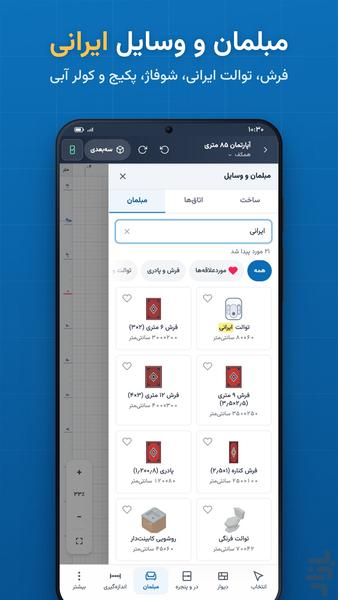
• Furniture for living rooms, bedrooms, kitchens, bathrooms, home offices, dining rooms, yards and balconies.
• Iranian home items that foreign apps don't have: 6, 9 and 12 m² rugs, runners and doormats, squat and Western toilets, radiators and wall-mounted boilers, evaporative and split air conditioners, 5-burner hobs, double sinks, side-by-side fridges, built-in wardrobes, TV walls and shoe cabinets.
• Wall colors and floor finishes: parquet and wood, ceramic and tile, stone and concrete, carpet.
• Resize any item to check whether a sofa, bed or fridge really fits.
🧊 3D view and walkthrough
• See the same plan in 3D; rotate, zoom and look from any angle.
• Walk through the house in first-person view.
🖨️ Export, print and share
• Scaled PDF at 1:25, 1:50, 1:100 or 1:200 on A4 or Letter paper, with an area table.
• AutoCAD DXF file in centimeters, with separate layers for walls, doors, windows, furniture and dimensions; continue in AutoCAD or any CAD software.
• Share a PNG image of the plan with your contractor, client, real estate agent or family.
• All exports are free, unlimited and watermark-free.
💾 Safe saving
• Your work is saved automatically on your phone.
• Undo, redo and version history to go back to earlier versions of a plan.
• Backup files to keep a project or move it to another phone.
• Projects stay on your phone and are never sent to us or anyone else.
🏘️ 8 ready-made Iranian plans
35 m² studio, 55 m² one-bedroom apartment, 85 m² two-bedroom apartment, 140 m² three-bedroom apartment, 120 m² single-storey villa with a porch, long narrow living room, L-shaped kitchen and U-shaped kitchen. Open one and change it as you like.
👥 Who is it for?
• Building a house or villa: sketch your idea before you meet an architect or engineer.
• Renovating a home or kitchen: try a new layout before you spend money.
• Buying, renting or moving: draw the new home and see where your furniture goes.
• Architecture, civil engineering and interior design students: practice plans, print to scale and export DXF for AutoCAD.
• Architects, engineers and contractors: quick site sketches and first-draft plans to send to clients.
• Real estate agents and landlords: simple floor plans and unit areas for listings.
❓ FAQ
Is it really free?
Yes. Every feature is unlocked from the start: unlimited projects and floors, and PDF, DXF and image export. No ads, no sign-up and no in-app purchases.
Does it work offline?
Yes. It works completely without internet and doesn't need Google Play.
Is the app in English?
The interface is in Persian (Farsi). You can type numbers with Persian or English digits.
Can I open my plan in AutoCAD?
Yes. Export a DXF file from the More menu. It uses centimeters and separate layers.
How are room areas calculated?
To the wall centerlines (the middle of the wall thickness), so a room's area is slightly larger than its net floor area.
Can I draw official permit drawings with it?
Naqshekesh is for first drafts, ideas and layouts. Official drawings and structural calculations for a building permit must be prepared by a licensed engineer, but you can draw your idea with Naqshekesh to show them, or send them the DXF file.
The app won't open?
Naqshekesh needs Android 7 or later. Update Android System WebView or Chrome on your phone and try again. If it still doesn't open, email us.
🎨 See your room's new look
Want to see how your room would look with new paint, flooring or furniture? Try the Dekorator app from this store: take a photo of a room and see new decor on that same photo with AI. Dekorator is a separate app and works with a photo of the room, not with a floor plan.
📩 Support
Questions or ideas? Leave a review or email naqshesupport@gmail.com. We read every message and improve Naqshekesh with your suggestions.


Related Applications










Users Also Installed









Similar Applications