- Applications
- Tools
CPU Spy Reloaded

| Install | 370 |
| From 30 Rates | 4.3 |
| Category | Tools |
| Size | 6 MB |
| Last Update | 2026 August 9 |

| Install | 370 |
| From 30 Rates | 4.3 |
| Category | Tools |
| Size | 6 MB |
| Last Update | 2026 August 9 |
Images





Introduction
CPU Spy Reloaded helps you understand how your Android device uses its processor over time.
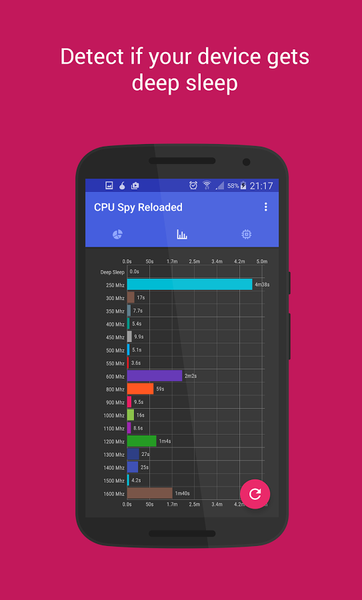
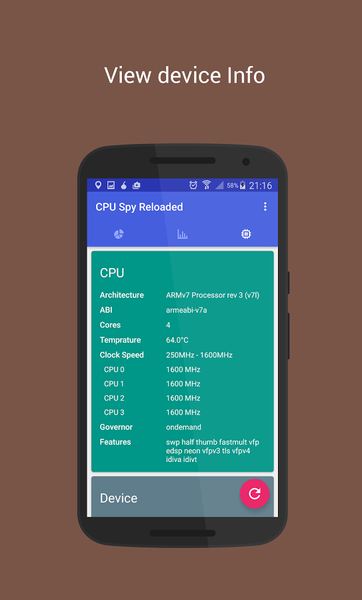
The app shows CPU time-in-state data, current clock speeds, deep sleep time, online cores, governors, CPU temperature, and related device information in a clean dashboard. It is useful for checking whether your device is entering deep sleep, comparing core behavior, and troubleshooting battery or performance issues.
Features include:
- CPU state and frequency tracking
- Deep sleep and active time overview
- Per-core clock speed and online/offline status
- CPU temperature where supported by the device
- Battery level, voltage, temperature, health, and charging state
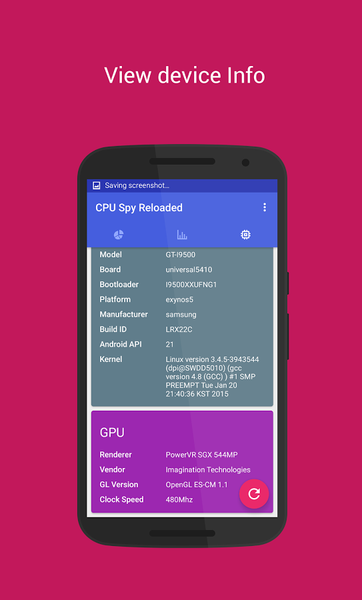
- GPU renderer, vendor, OpenGL version, and frequency where available
- Device, kernel, memory, storage, display, and sensor information
- Bar and pie chart views for CPU state data
- Optional advanced diagnostics for supported/rooted devices
- Shareable device reports for troubleshooting
CPU Spy reads system information exposed by Android and the device kernel. Available data may vary by device, Android version, vendor, and kernel configuration. Some features require supported system files.
CPU Spy does not change CPU settings or system performance profiles. It is a monitoring and diagnostics tool.

Related Applications










Users Also Installed