- Applications
- Tools
Sleep Recorder
Images


Introduction
ShabAva | Sleep Sound Recorder
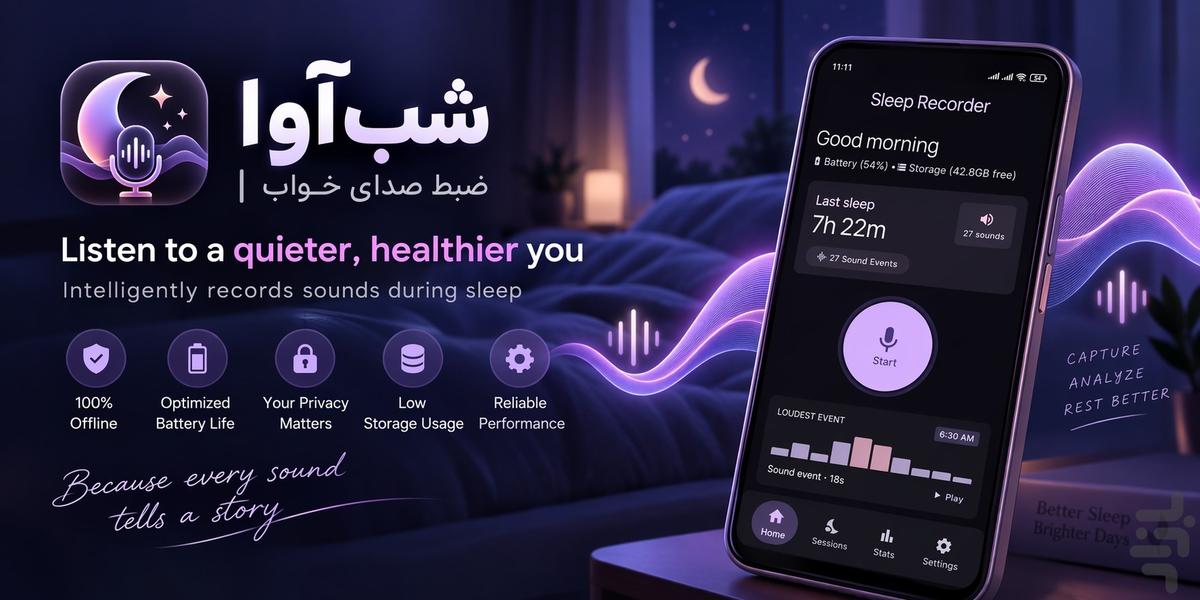
ShabAva is a smart sleep sound recorder that monitors the sounds around you while you sleep and records sound events when activity is detected, instead of continuously saving hours of silence.
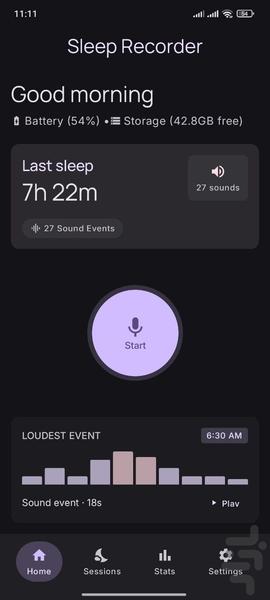
Place your phone near your bed, start a recording session, and go to sleep. In the morning, review the sounds captured during the night using an organized timeline, play individual recordings, and explore your sleep session statistics.
If you want to know what sounds happened around you during the night, ShabAva is designed to make nighttime sound recording simple, private, and easy to review.
🌙 Smart Sleep Sound Recording
Traditional voice recorders can create very large recordings because they continuously record everything, including hours of silence.
ShabAva is designed differently.
It monitors the surrounding audio and creates a recording event when sound is detected. Periods of silence don't need to become long, unnecessary recordings.
This makes it easier to:
• Review nighttime sounds
• Find specific sound events
• Reduce unnecessary audio storage
• Browse your night using a timeline
• Listen only to the moments that matter
🎙️ Record Only When Sound Is Detected
ShabAva continuously monitors the microphone during an active sleep session.
When sound activity is detected, the app can create a sound event containing information such as:
• Recording time
• Event duration
• Sound intensity
• Audio waveform
• Recorded audio clip
This allows you to review the active moments of your night without having to listen through hours of continuous silence.
🔊 Capture Sounds During Sleep
ShabAva can record different types of sounds that occur around your sleeping environment, including:
• Snoring
• Talking
• Coughing
• Movement sounds
• Environmental sounds
• Sudden noises
• Other sounds around your phone
Important: The current version does not automatically classify sounds as snoring, talking, coughing, or other categories. These sounds may be recorded when they are detected as sound events.
Advanced sound classification may be added in a future version.
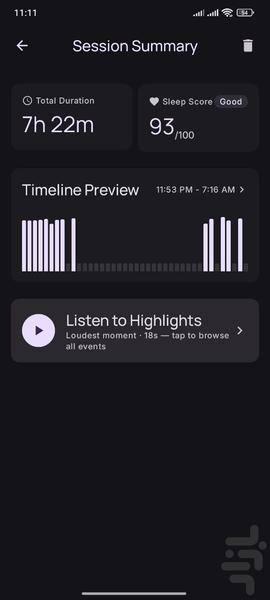
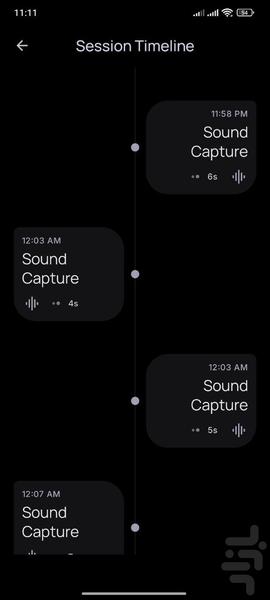
⏱️ Nighttime Sound Timeline
Review your recorded sound events using an organized timeline.
Each event can include:
• Time of occurrence
• Duration
• Sound intensity
• Audio waveform
• Recorded audio
Instead of searching through one long recording, you can quickly browse the individual sound events captured throughout the night.
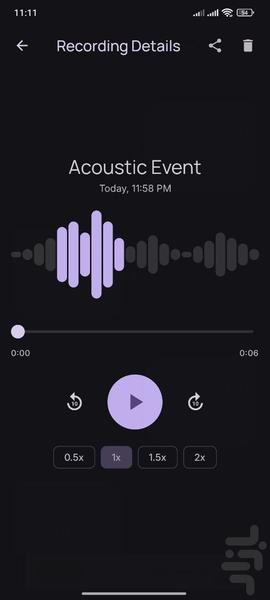
▶️ Listen to Recorded Sounds
Play individual sound events directly inside the app.
Listen to a specific recording and find out what happened around a particular time during the night.
The built-in audio player makes it easy to:
• Play recordings
• Pause playback
• Seek through audio
• Review individual sound events
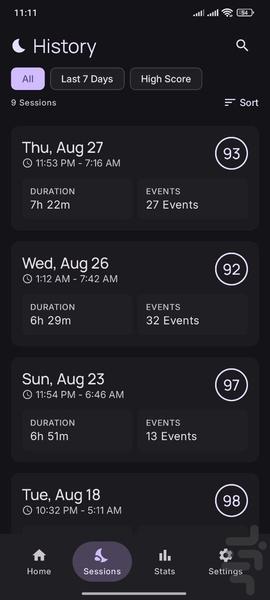
📅 Sleep Session History
Your previous recording sessions are organized in the history section.
For each session, you can review information such as:
• Start time
• End time
• Session duration
• Number of sound events
• Session statistics
This gives you an easy way to look back at previous nights.
📊 Nighttime Sound Statistics
ShabAva provides statistics for your recording sessions so you can understand how much sound activity was detected during each night.
Depending on the available session data, statistics can include:
• Session duration
• Number of sound events
• Sound activity over time
• Event duration
• Historical session information
• Night-to-night trends
🔒 Private and Offline
Privacy is one of the core principles of ShabAva.
The current version works completely offline for its core recording features.
You don't need:
• An account
• Sign-in
• A cloud account
• Internet access for recording
• Automatic cloud synchronization
Your recordings and session information remain on your device.
Your nighttime audio does not need to be uploaded to a server for the core functionality of the app.
📱 Turn Off Your Screen and Go to Sleep
You don't need to keep your phone screen turned on all night.
After starting a recording session, you can turn off the screen and lock your phone. ShabAva is designed to continue its recording session in the background.
For the best results, place your phone at a suitable distance from your bed and make sure microphone access has been granted.
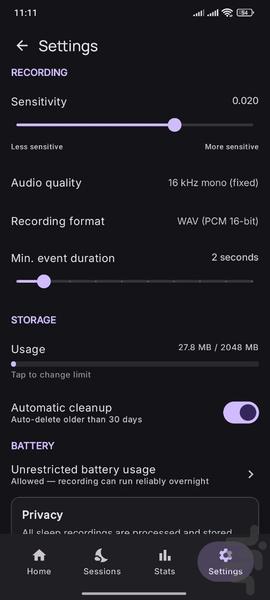
⚙️ Adjustable Sound Detection
Different sleeping environments have different background noise levels.
For example:
• Fans
• Air conditioners
• Traffic
• Other people
• Household sounds
• Outdoor noise
ShabAva provides sound detection settings that allow you to adjust the sensitivity according to your environment.
Finding the right sensitivity can help reduce unwanted recordings while still capturing meaningful nighttime sounds.
🗂️ Manage Your Recordings
Your recorded sound events are organized within your sleep sessions.
You can review recordings, listen to individual events, and manage stored audio files.
Delete recordings you no longer need to help keep your device storage organized.
🌙 Who Is ShabAva For?
ShabAva can be useful for anyone who wants to:
• Record sounds during sleep
• Monitor nighttime sound activity
• Record sleep sounds
• Capture sounds around the bed
• Review unexpected nighttime noises
• Record snoring sounds
• Record talking or coughing that occurs during the night
• Monitor environmental sounds while sleeping
• Keep a history of nighttime recordings
• Review nighttime audio without listening to hours of silence
• Use a sleep sound recorder without cloud synchronization
🔐 Privacy First
ShabAva's core recording functionality is designed to work locally on your Android device.
The current version does not require:
• User registration
• Login
• Cloud synchronization
• Online audio processing
• Automatic cloud backup
Your sleep recordings are personal. ShabAva is designed to keep them under your control.


Related Applications








Users Also Installed