
- Applications
- Tools
CalculaTOP | The Creative Calculator
| Install | 160 |
| From 8 Rates | 5 |
| Category | Tools |
| Size | 1 MB |
| Last Update | 2026 July 23 |
| Install | 160 |
| From 8 Rates | 5 |
| Category | Tools |
| Size | 1 MB |
| Last Update | 2026 July 23 |
Images
Introduction
Features + Full Description
Calculator + Top = CalculaTOP
CalculaTOP is not your ordinary calculator—it's a creative blend of calculation, motion, and fun. Instead of simply tapping buttons, you can throw numbers and operators toward the display and enjoy smooth animations, immersive sound effects, and satisfying haptic feedback.
CalculaTOP Features
• Basic arithmetic: Addition, Subtraction, Multiplication, and Division
• Percentage calculations and sign (+/-) switching
• Backspace key and full clear (AC)
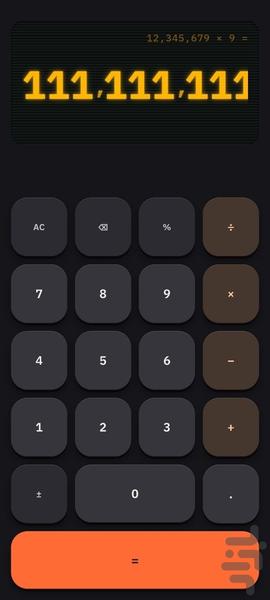
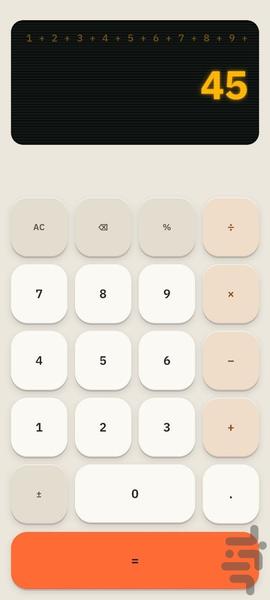
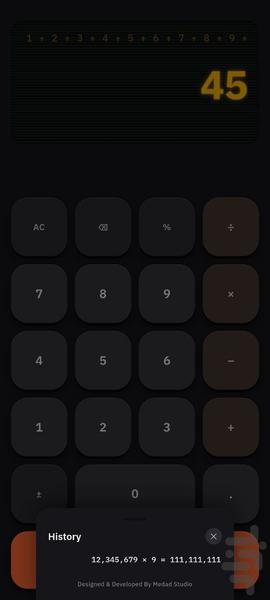
• Full expression displayed above the result screen
• Horizontal scrolling for long calculations
• Live result preview—even before pressing the equals (=) button
• Thousands separators for improved readability
• Support for decimal numbers, extremely large values, and tiny fractions
• Chain calculations with intermediate results displayed automatically
Throw It. Calculate It.
Every key can be used with a normal tap or by swiping upward to launch it toward the display. As it flies, the key is accompanied by fluid animations, glowing visual effects, sound, and haptic feedback. If you cancel the throw halfway, CalculaTOP responds with its own unique animation and feedback.
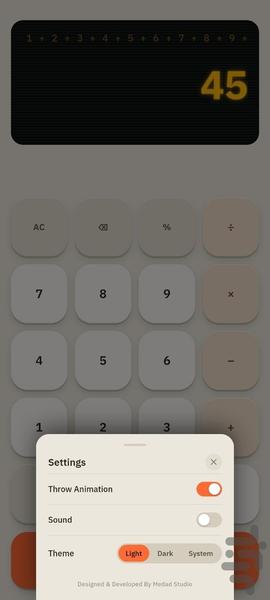
Customizable Themes
Choose the appearance that matches your style:
• Light Theme
• Dark Theme
• Follow System Theme
To open Settings, simply press and hold the AC button . From there, you can also enable or disable throw animations and sound effects.
Sound, Animation & Haptics
CalculaTOP includes unique sounds and animations for tapping, throwing, landing, and canceling a throw. Haptic feedback makes every interaction feel more responsive, natural, and enjoyable.
Calculation History
Press and hold the equals (=) button to view your calculation history. The latest 10 calculations are saved, including the complete expression and result, with the newest entries always displayed first.
Fast, Simple & Offline
CalculaTOP works entirely offline with no internet connection required. Its full-screen design, smooth interface, and glowing display deliver a refreshing calculator experience that's both practical and fun.
CalculaTOP — Calculate. Throw. Stay on Top!
