- Applications
- Tools
noora smart download manager
| Install | <10 |
| From 0 Rates | 0 |
| Category | Tools |
| Size | 11 MB |
| Last Update | 2026 September 14 |

| Install | <10 |
| From 0 Rates | 0 |
| Category | Tools |
| Size | 11 MB |
| Last Update | 2026 September 14 |
Images

Introduction
Noora Download Manager (Noora DM); Your ultra-fast and intelligent download companion for Android!
Tired of copying dozens of links one by one when downloading large games, movies, or multi-part archive files? Want to download files sequentially one after another to focus your full internet bandwidth on one file, or download everything simultaneously in parallel?
Noora Manager delivers a smooth, powerful, and intuitive download experience crafted with a modern interface and exclusive smart features.
🚀 Key & Exclusive Features:
🔄 Smart Queue Management (Sequential or Concurrent):
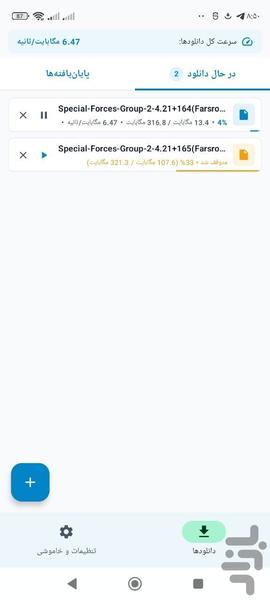
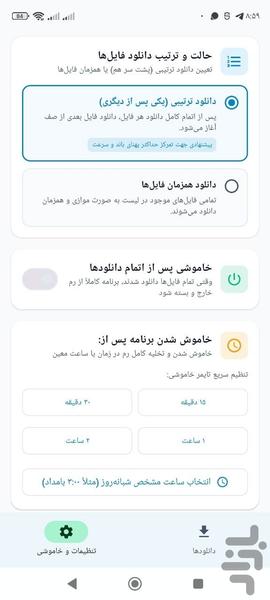
You are in control! Choose whether files download sequentially one by one (maximizing single-file speed and connection stability) or download simultaneously in parallel across the queue.
🤖 Automatic Multi-Part Series Detection (Exclusive):
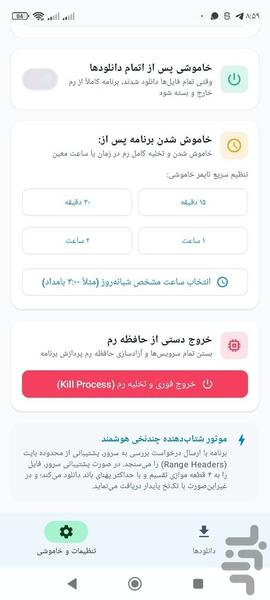
Never copy dozens of download links again! Simply provide the links to the first two parts (e.g., part01 and part02). Noora automatically detects the naming pattern, discovers all subsequent parts on the server, and queues them automatically.
⚡ Turbo Multi-Thread Download Engine:
By intelligently segmenting files into multiple parallel streams, Noora accelerates your download speeds to the maximum capacity of your Wi-Fi or mobile network (4G/5G).
⏸️ Pause and Resume Support:
Never worry about network dropouts. Pause any download whenever needed and resume seamlessly from the exact same point.
📂 Automatic File Categorization:
Downloaded files are automatically organized and sorted into dedicated categories (Videos, Music, Documents, Images, Archives, and Apps) for effortless file management.
🌙 Modern Material You (M3) Design:
A clean, visually refined interface with full Dark Mode support, low battery consumption, and minimal system resource usage.
📋 Additional Highlights:
• Automatic clipboard link detection
• Real-time download speed graph, remaining time, and progress metrics
• Complete file manager for completed downloads
• Fully compatible with all Android versions and tablets
Related Applications








Users Also Installed