- Applications
- Music & Audio
VoiceOver – Record & Mix Audio

| Install | 5.4 K |
| From 19 Rates | 4.3 |
| Category | Music & Audio |
| Size | 30 MB |
| Last Update | 2026 October 12 |

| Install | 5.4 K |
| From 19 Rates | 4.3 |
| Category | Music & Audio |
| Size | 30 MB |
| Last Update | 2026 October 12 |
Images



Introduction
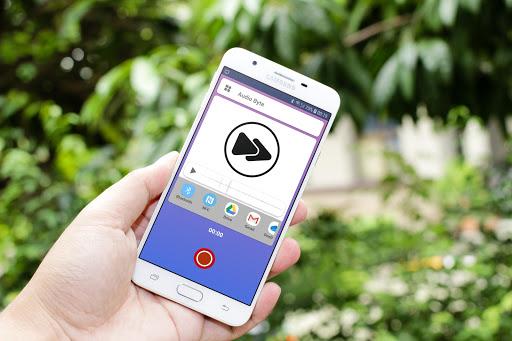
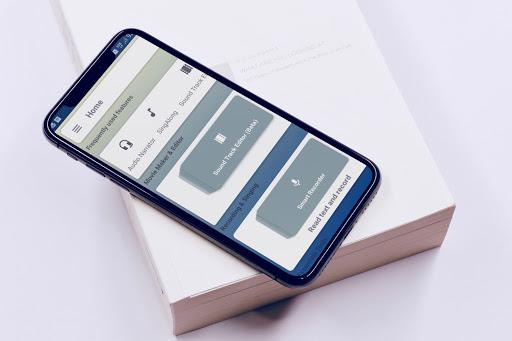
Voice recorder, karaoke, audio editor and multi-track mixer — seven tools that connect. Record voice memos, sing over songs, edit audio and create voiceovers for video, photos and music.
🎙️ VOICE RECORDER
The only audio recorder that keeps the microphone hardware active on pause — zero gaps, zero click artifacts, zero lost takes. Record voice memos, interviews, podcasts, lectures or field audio and pick up exactly where you left off.
• Seamless pause and resume — no dropout, no click, no missing audio
• Review recordings while still paused — scrub back, listen, continue
• Live waveform visible in your notification bar even with the screen off
• Auto-pauses when a call comes in — never lose a take
• Auto-stop timer, mic gain control and 4 audio source modes
• Output formats: WAV, AAC, MP3 — at 64, 128 or 256 kbps
• One-tap home screen shortcut — recording in under a second
🎤 KARAOKE & SINGALONG
Browse thousands of royalty-free songs from the Jamendo library and sing over them. Put your earphones in — the backing track plays in your ears while the microphone captures your voice with zero bleed. The result is a true stereo mix with vocal and music on separate layers, ready to edit.
• Sync correction up to ±2,000 ms — align vocal and backing track precisely
• Autotune styles: Pop, Rock, Jazz, Acoustic
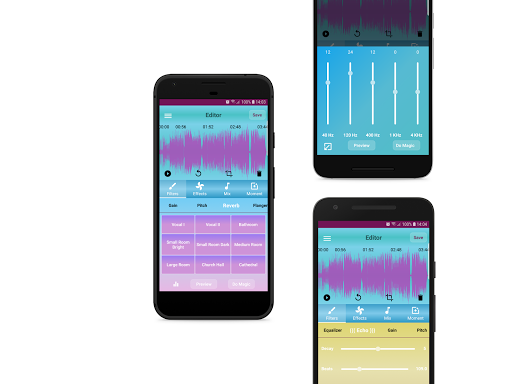
• 5-band EQ, Reverb, Echo, Pitch Shift, Chorus, Flanger
• Independent vocal and background volume control
🎬 SOUNDTRACK EDITOR
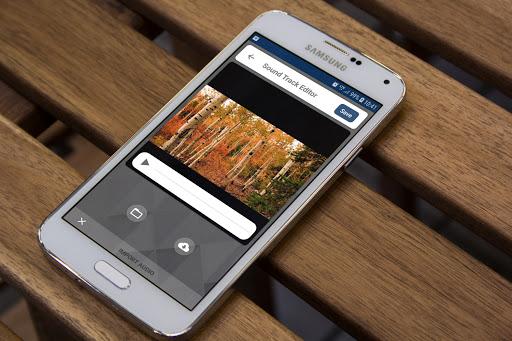
Replace, mix, mute or record a voiceover directly onto any video from your gallery, camera or Pixabay. Audio processing that goes far beyond a volume slider.
• Replace — swap the video's soundtrack with any audio track
• Mix — layer new audio underneath the original sound
• Overdub — record narration while watching the video play back
• Mute or Remove — silence background noise without touching the video
• Full processing: EQ, Reverb, Echo, Fade, Gain — every edit reversible
🖼️ PHOTO CLIP
Turn any photo into a shareable video clip. Add a recorded voiceover, import audio, then frame it and export as MP4.
• 8 animated frame styles — Neon, Glow, Film, Vignette and more
• Browse images from your gallery, camera or Pixabay stock library
• Full audio editor included: EQ, Reverb, Echo, Pitch, Fade, Gain
• Exports as standard MP4 — plays and shares everywhere
✨ MOTION CLIP
GIFs finally get sound. Pick any animation from your device or Pixabay, add audio and export a real MP4 with the sound baked in — up to 30 seconds.
• Browse thousands of animations from Pixabay directly in the app
• Record your voice, import audio or add royalty-free music
• Audio editing included: EQ, Reverb, Echo, Pitch, Gain, Fade
🎚️ MULTI-TRACK AUDIO MIXER
A real multitrack timeline — not a merge button. Position clips anywhere, overlap to mix, arrange end-to-end to join. Every clip independently editable before you export.
• Per-clip Trim, Gain, Fade, 5-band EQ and 8 Reverb presets
• Record live, import from device, or browse Pixabay and Jamendo music
• Draft auto-saves after every change
🎛️ AUDIO EDITOR & VOICE CHANGER
From voice changer effects to professional studio mastering — the audio editor handles both.
• 10 free voice changer effects — Chipmunk, Robot, Martian, Batman, Radio, Ghost and more
• Time Stretch — change speed without changing pitch
• Pitch Shift, Reverb, Echo, EQ, Flanger, Cut, Trim, Mute, Reverse, Fade
• One-tap A/B comparison: original vs. processed audio
• Export as WAV, AAC or MP3
☁️ CLOUD & CAST
• Your recordings stay safe and accessible wherever you are.
• Back up audio and video files to Google Drive automatically and resume on any device.
• Cast playback to any Chromecast-enabled speaker or TV.
─────────────────────────────────────
Free to get started. Subscribe to VoiceOver Pro to unlock Autotune, Compressor, Limiter, Flanger, Time Stretch, Custom EQ, all animated frame styles, the full Moments library, cloud auto-sync and watermark-free exports.


Related Applications






Users Also Installed



Similar Applications