- Applications
- ابزارها
Camera To PDF Scanner
| نصب | +۱۰۰ |
| From ۱ Rates | 5 |
| Category | ابزارها |
| Size | ۱۷ مگابایت |
| Last Update | ۴ فروردین ۱۴۰۳ |
| نصب | +۱۰۰ |
| From ۱ Rates | 5 |
| Category | ابزارها |
| Size | ۱۷ مگابایت |
| Last Update | ۴ فروردین ۱۴۰۳ |
Images
Introduction
Free application
- We ensure that we never collect personal data
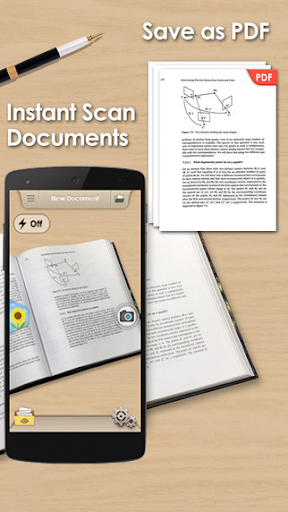
- Camera To PDF Scanner is portable document scanner and scan everything as images (JPEG) or PDF file format.
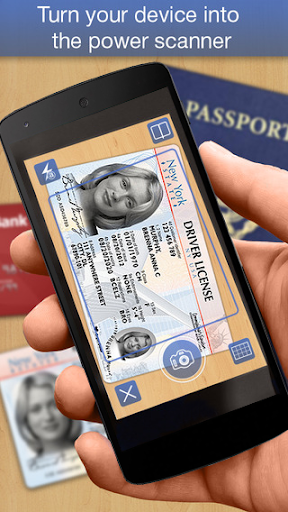
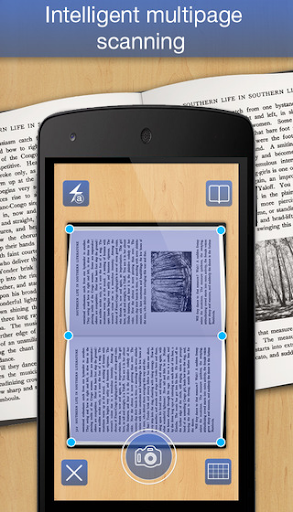
- Camera To PDF Scanner use your smartphone camera to scan multi-page of documents, receipts, notes, whiteboards, card and other text. With this application, you can quickly scan your documents and share document via Email, bluetooth or Google Drive...
- Camera To PDF Scanner is easier, faster scanning with better interface , greater functionality and less limitations.
Main features:
- Scan document in color, grayscale, or black & white
- Automatic document edge detection and perspective correction
- Many kind of sizes (Letter, Legal, A4, A3, Business Card...)
- Many levels of contrast for crisp monochrome texts, multi-page scanning
- Ultra-fast processing, and quick searching
- Easily share docs in PDF or JPEG format via social media, email...
How to use
- Step 1: select the 1st page of document which you want to scan (from Camera or Gallery). then crop the region which you want to scan and next (by click V button in right-bottom corner)
- Step 2: edit the scan result by increase, decrease the levels of contrast, grayscal, color...and save it to a Document (default name New Document).
- Step 3: add more page (2nd page,3rd page..) to Document and convert all page to one PDF file (by click V button in right-bottom corner)
- Step 4: you can directly share this document via mail, bluetooth...(by click Share button) or get PDF file from smartphone memory by using USB cable. PDF files saved in: SDCard/PDFScanner/NewDocument.pdf and all JPEG files saved in SDCard/PdfScanner/Documents.
We would love to hear from our users. If you have any feedback, suggestion that will help us become the best scanning app. Please email for us at: kaikaisoft@gmail.com

دیگران نصب کردهاند





برنامههای مشابه